What is Deshiserve App!
DeshiServe – Connecting Communities, Businesses & Services
DeshiServe is a mobile app and platform that connects multiple communities, businesses, and organizations, making everyday services and deliveries easy and convenient. It lets people order groceries, meals, or book home services—like plumbing or cleaning—directly from their phone, no matter where they live. Businesses and organizations can showcase their products or services, manage orders, and track deliveries efficiently, while customers receive fast, reliable service.
Profit: With DeshiServe, vendors and organizations save time, money, and effort—no extra phone calls, no separate marketing costs, and no wasted energy. Everything happens in one place, allowing them to serve more customers efficiently and grow their business.
Refer & Earn: While using DeshiServe, you can invite friends and family to the app and earn rewards for every successful referral. It’s an easy way to save or earn extra, all from your phone.
Please Read to Learn About DeshiServe Features and How It Works
Step 1:Multiple Login Options
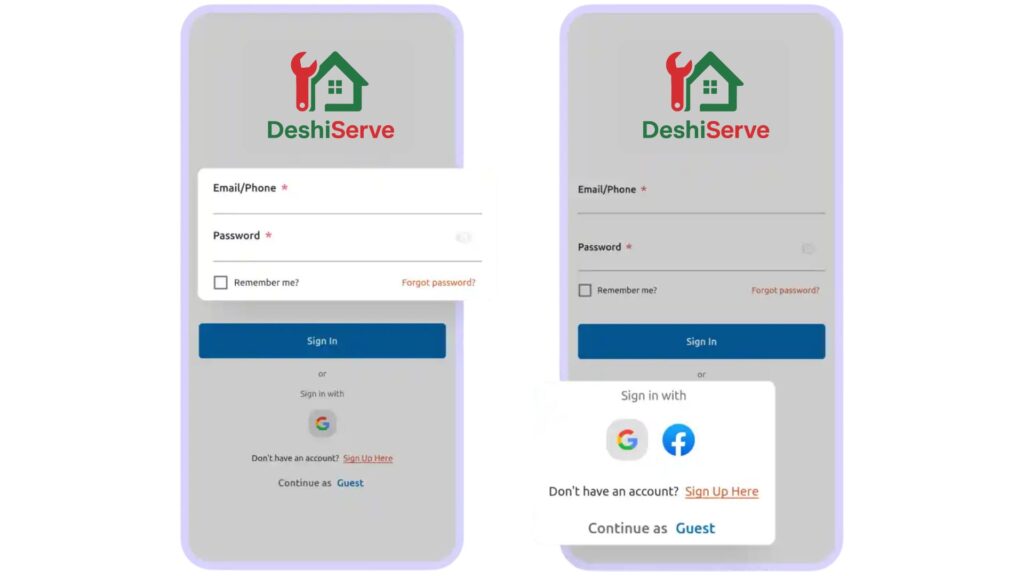
Multiple Login Options
We make it easy for you to get started. You can log in using your phone number or email, or simply continue with your Gmail or Facebook account.
If you’re in a hurry, you can also choose “Continue as Guest” and explore services without signing in.
Step 2:Location Setup
Location Setup
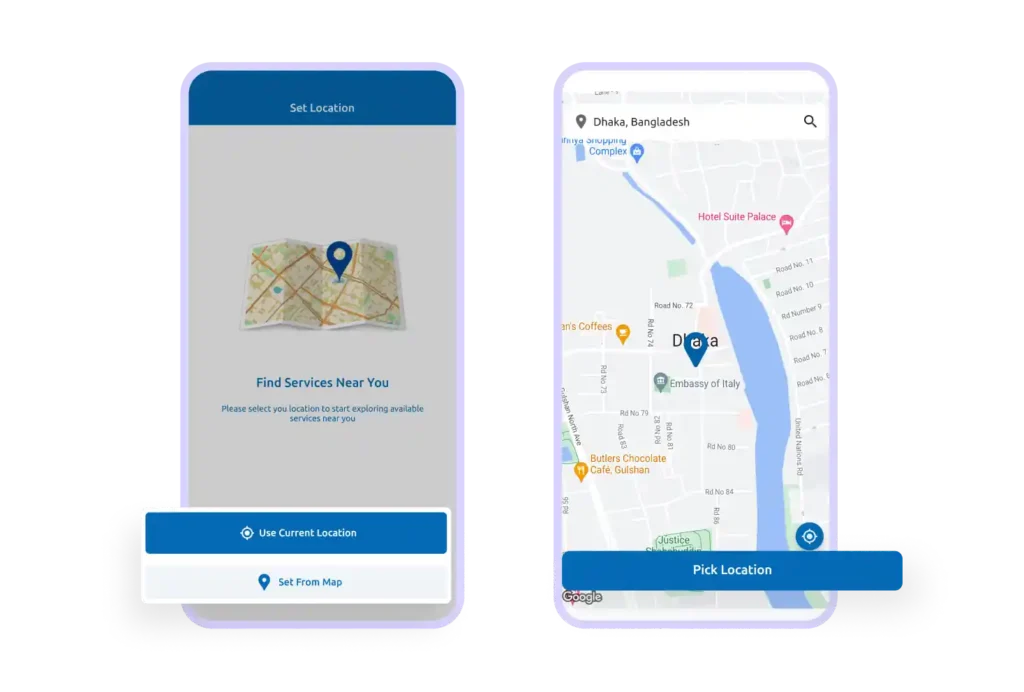
After signing in, you’ll be asked to set your location so we can show you the services available near you.
You can either select your location directly from Google Maps or use your phone’s current location for quick access
Step 3: Multi-Language Support
Multi-Language Support
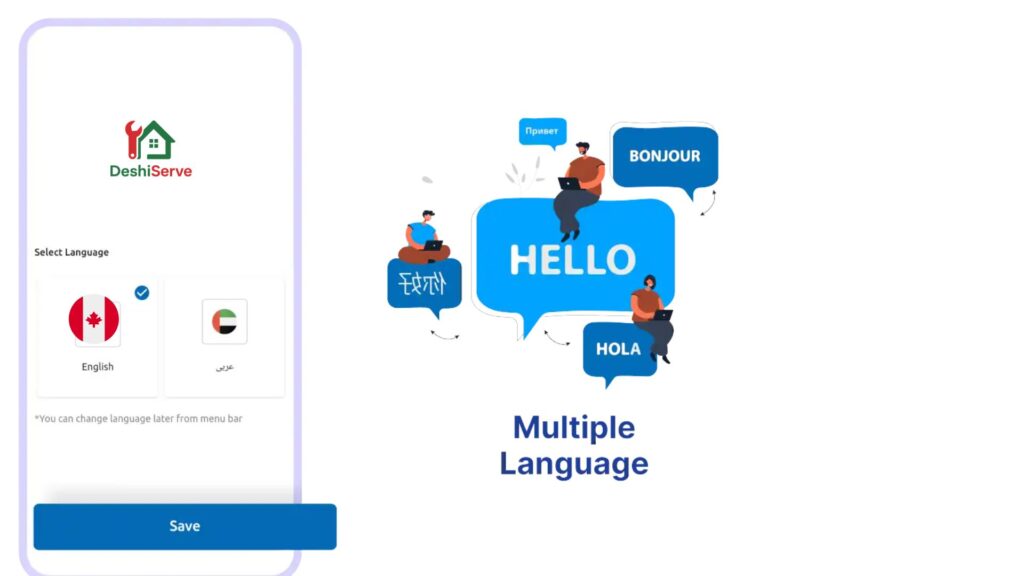
DeshiServe understands that everyone feels comfortable in their own language.
If multiple languages are enabled, you can easily switch to your preferred language from the app settings for a smoother and more familiar experience.
Step 4:Light & Dark Mode
Light & Dark Mode
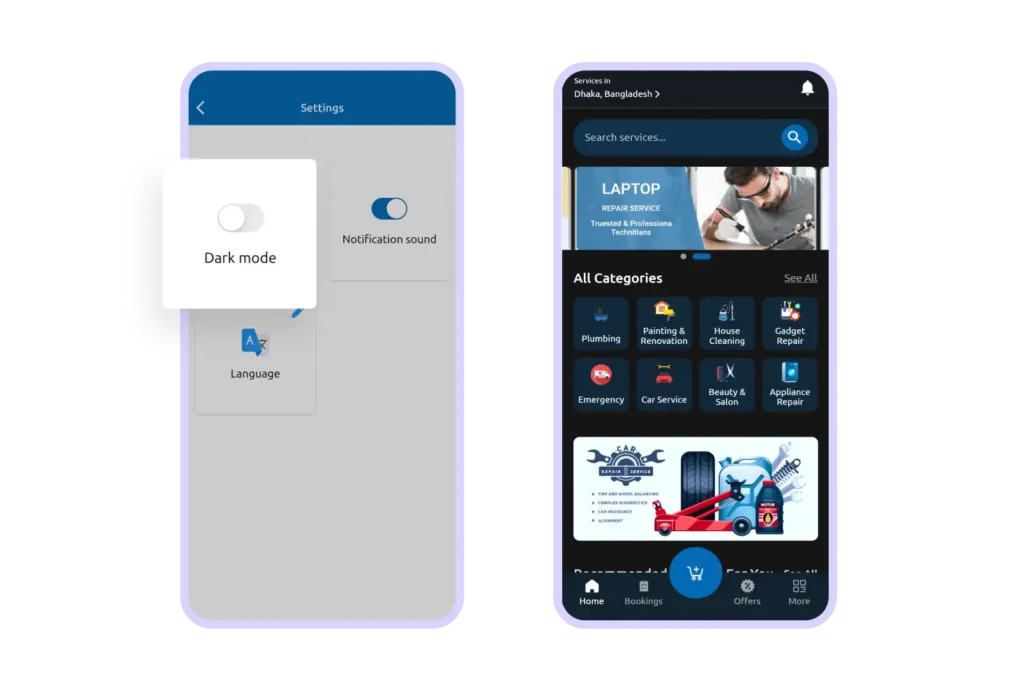
You can choose how the app looks!
From the menu section, switch between Light Mode and Dark Mode anytime. Whether you prefer a bright screen during the day or a softer look at night, the choice is yours.
Step 5: Guest Checkout
Guest Checkout
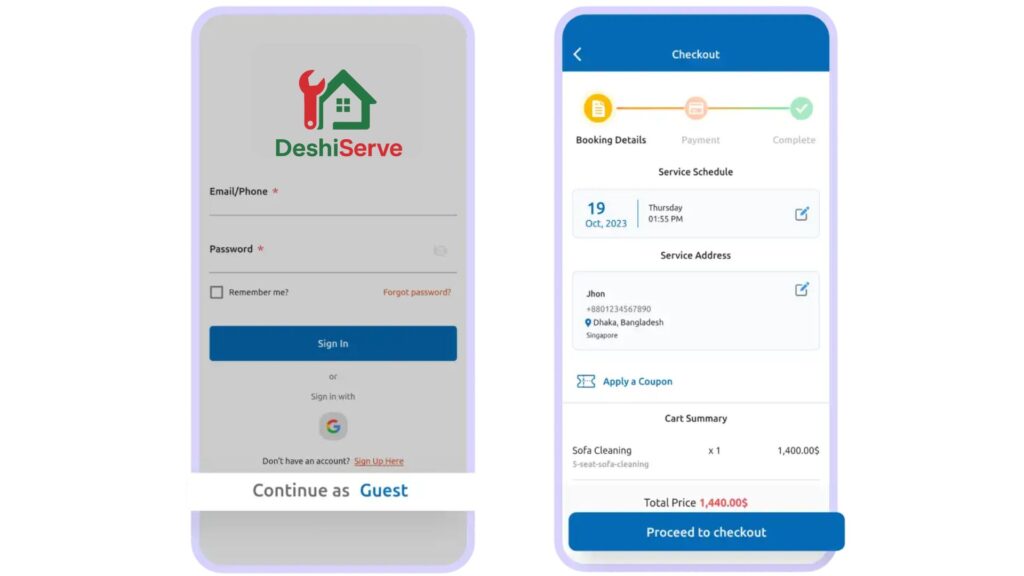
Not ready to create an account? No problem.
You can continue as a guest, browse services, select what you need, and complete your booking without signing in.
Step 6:Dynamic Home Page
Dynamic Home Page
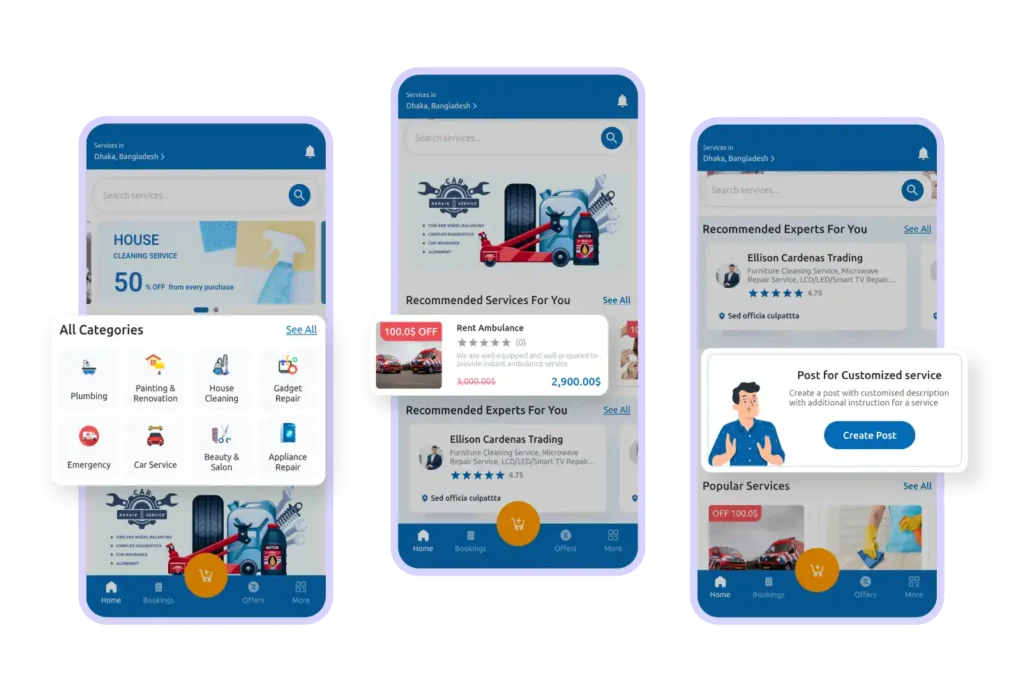
Our home page is designed to help you find what you need quickly.
You’ll see:
A smart search bar
Promotional offers
Notifications
Service categories
Popular services
Personalized recommendations
Option to request a custom service
Everything is organized to make your experience simple and convenient.
Step 8:Promotional Banners
Promotional Banners
Special offers are highlighted on the home page.
By tapping a banner, you’ll be taken directly to the relevant service or category page, where you can view details and book easily.
Step 9:Smart Search Box
Smart Search Box
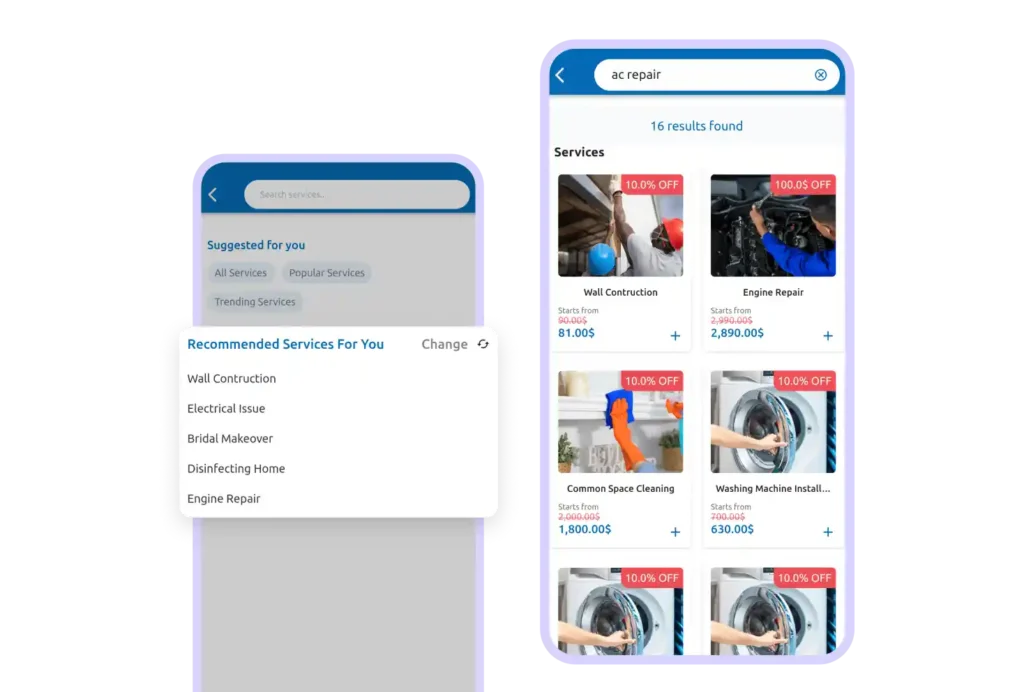
Looking for something specific?
Our smart search bar helps you find services quickly and may even suggest services based on your previous searches and browsing history.
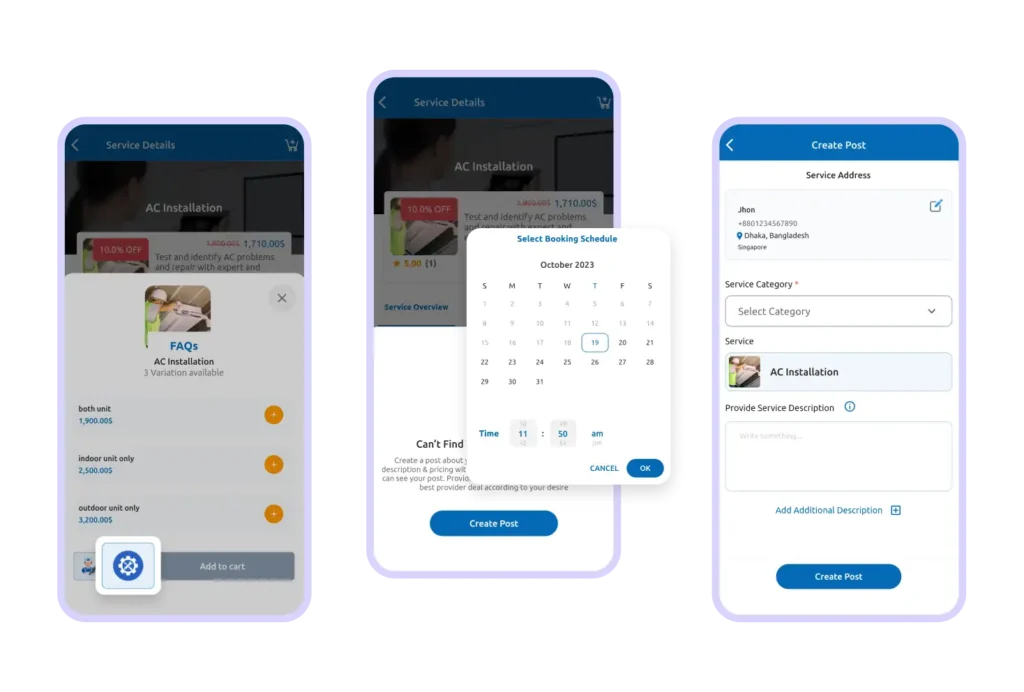
Step 10:Service Details
Service Details
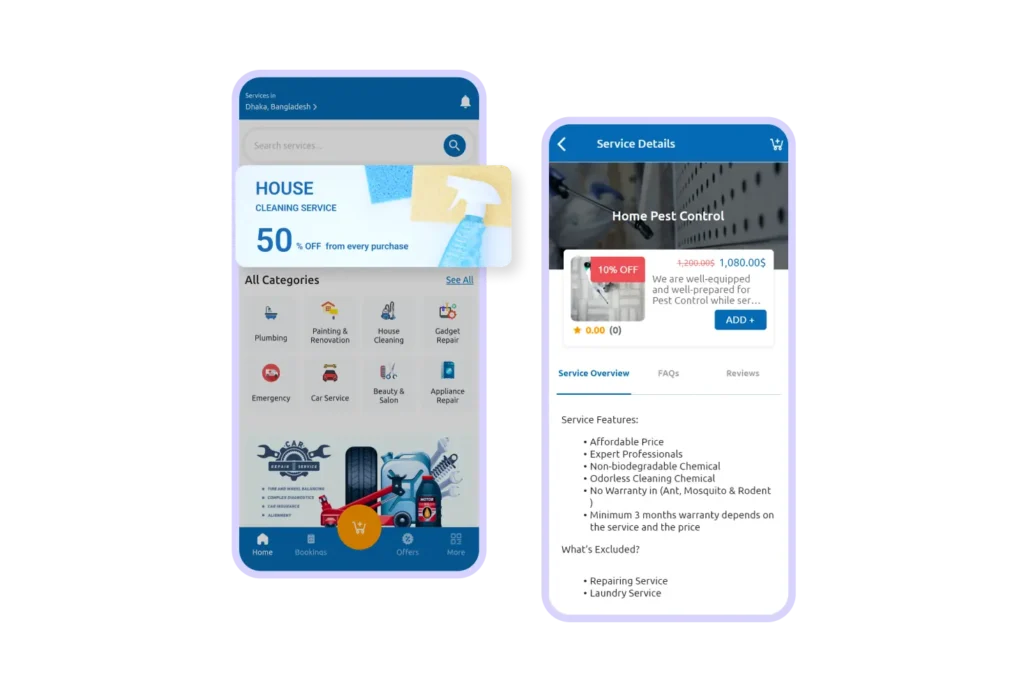
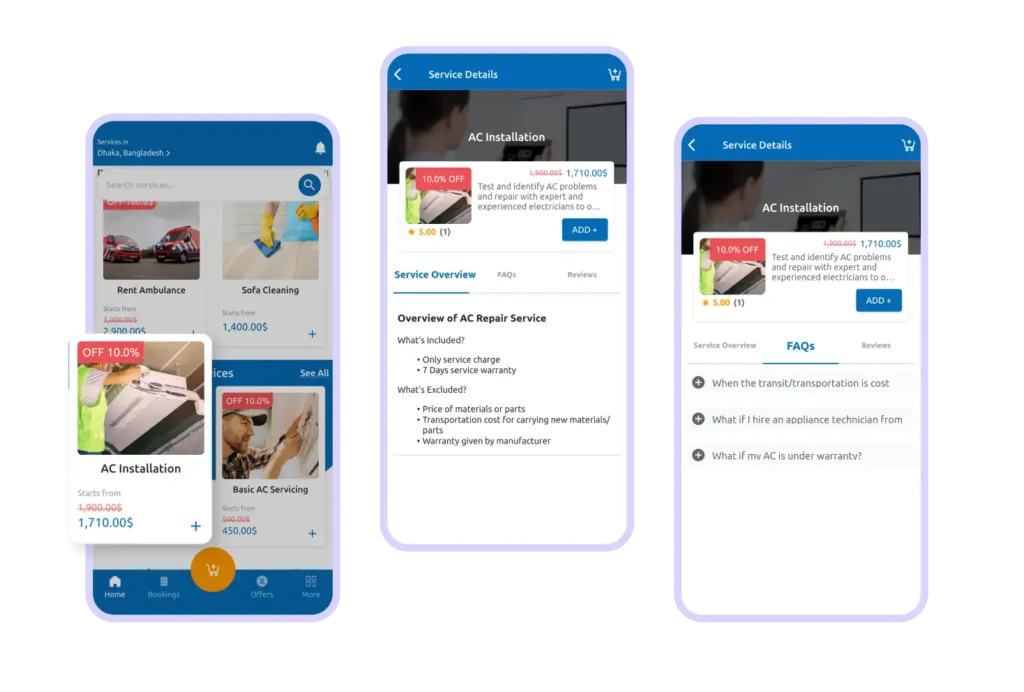
When you tap on a service, you’ll see complete details including:
Service overview
FAQs
Reviews from other customers
Pricing information
This helps you make a confident and informed decision.
Step 11: Customized Service Request
Customized Service Request
Can’t find exactly what you need?
You can create a customized request by selecting a service category, describing your requirements, and submitting your request. Service providers can then respond accordingly.
Step 11: Choose Your Preferred Provider
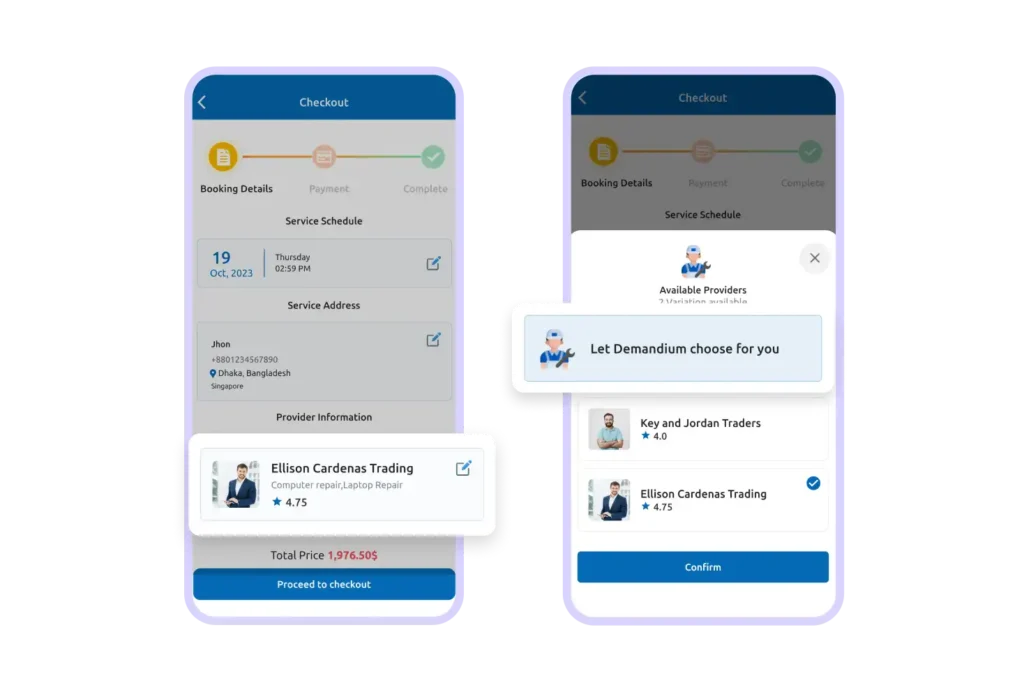
Choose Your Preferred Provider
You have the freedom to choose your favorite service provider before checkout.
If you don’t have a preference, the system can automatically assign a trusted provider near your location.
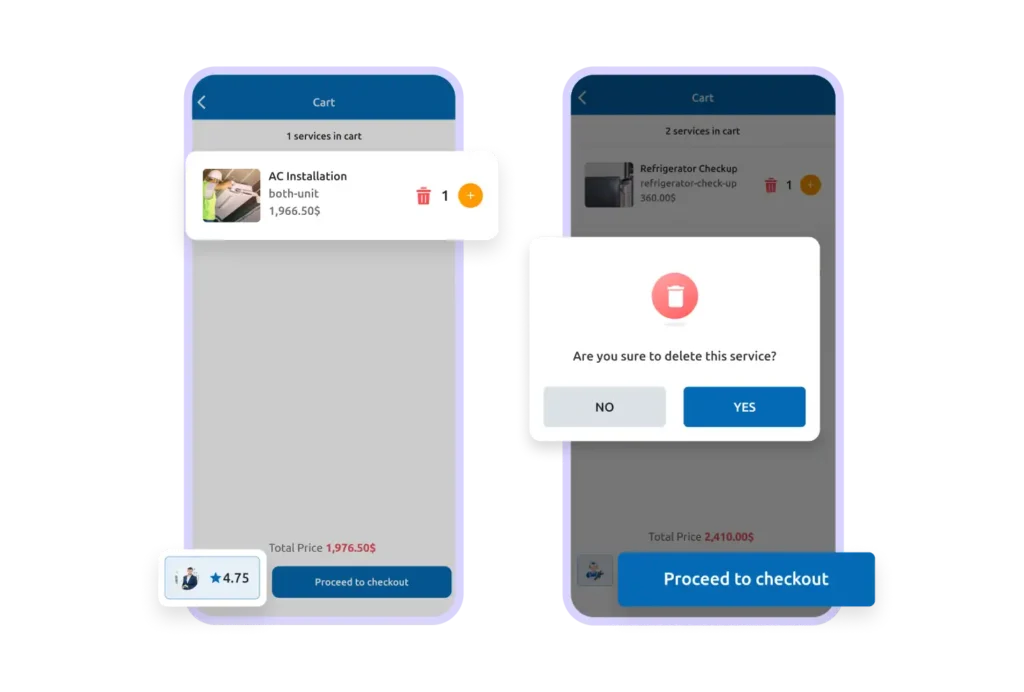
Step 12: Cart Page
Cart Page
Before confirming your booking, you can review everything in your cart.
Here you can:
Check total quantity and price
Change service quantity
Switch providers
Proceed to checkout when ready
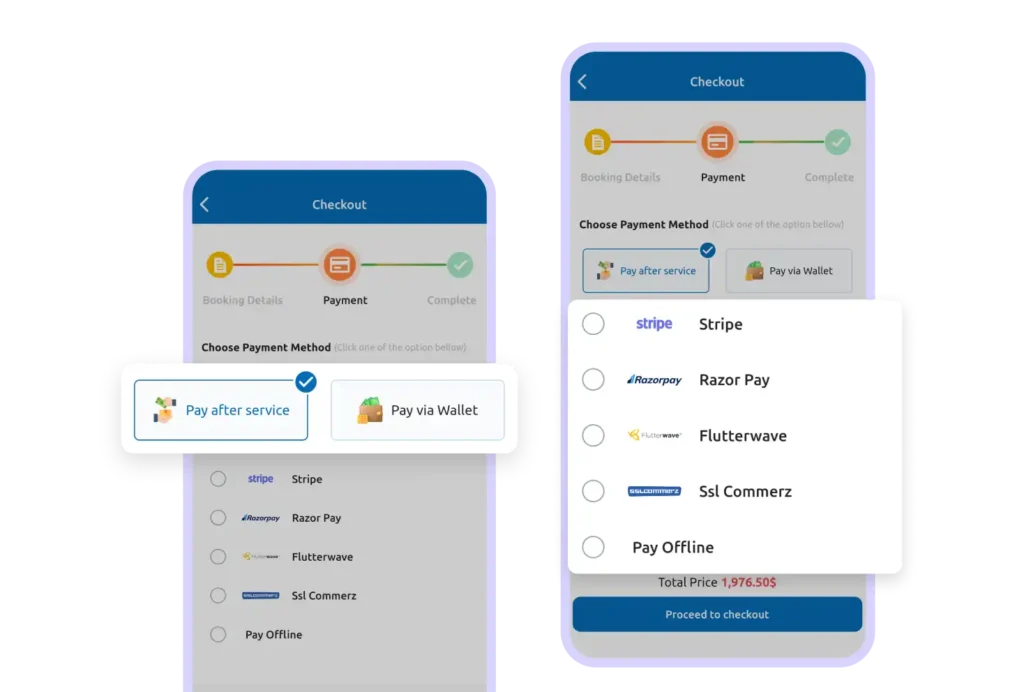
Step 13:Multiple Payment Options
Multiple Payment Options
We offer flexible payment methods for your convenience.
You can choose:
Online payment (digital payments or wallet)
Offline payment
Pay after service (if available)
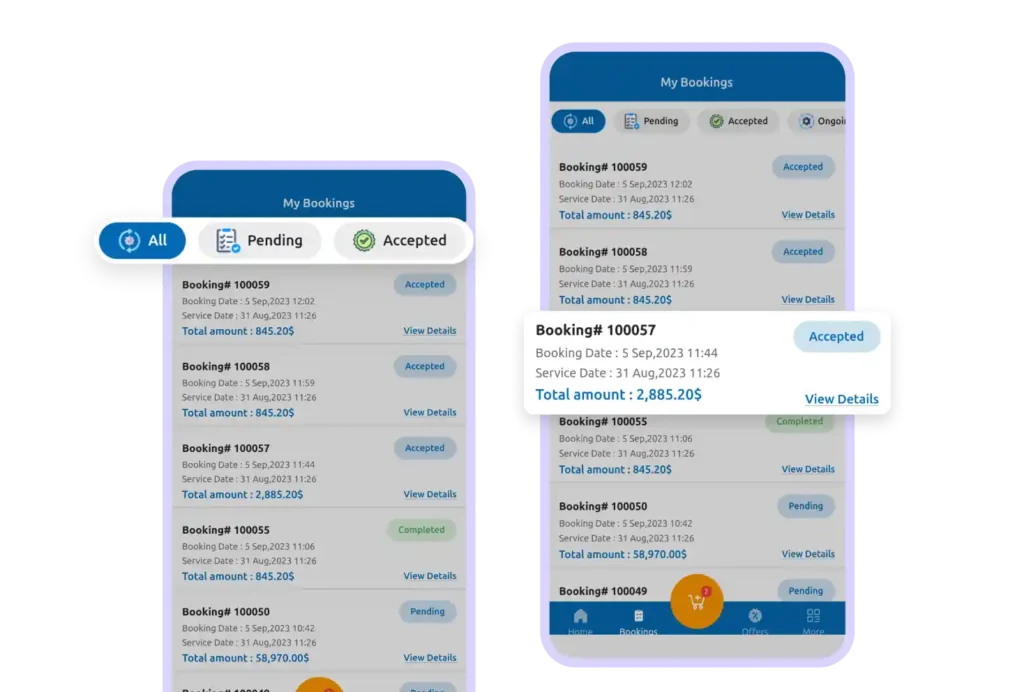
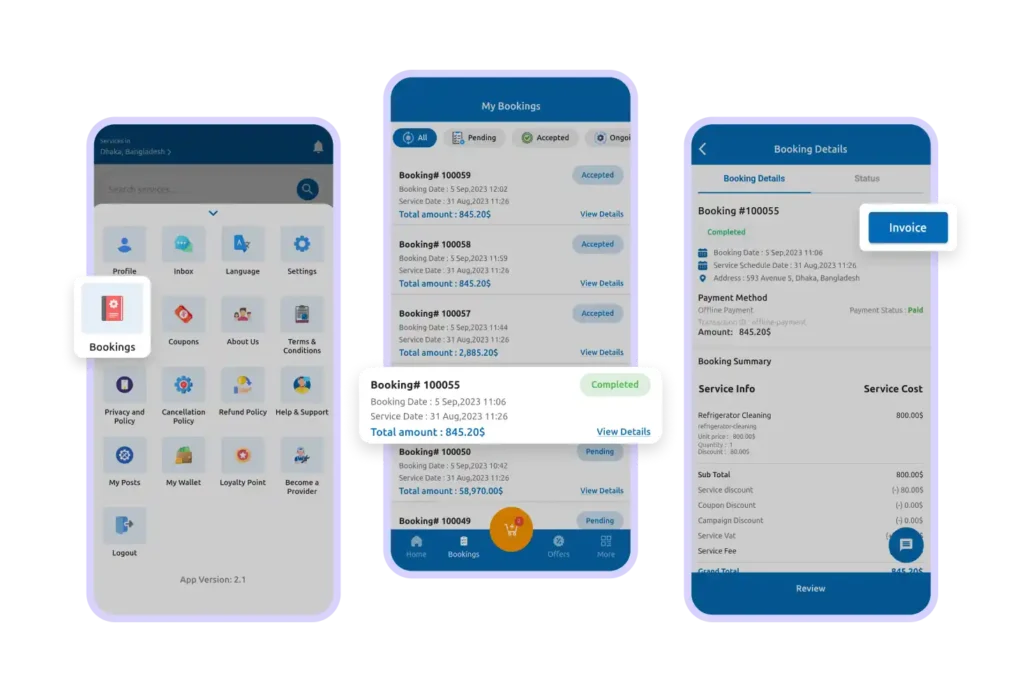
Step 14:My Bookings
My Bookings
In the My Bookings section, you can track all your bookings easily.
Bookings are organized by status:
Pending
Accepted
Ongoing
Completed
Cancelled
You can also see booking and service dates at a glance.
Step 15:Booking Details
Booking Details
Inside each booking, you’ll find:
Service schedule and address
Payment status
Provider contact information
Invoice download option
Everything you need is in one place.
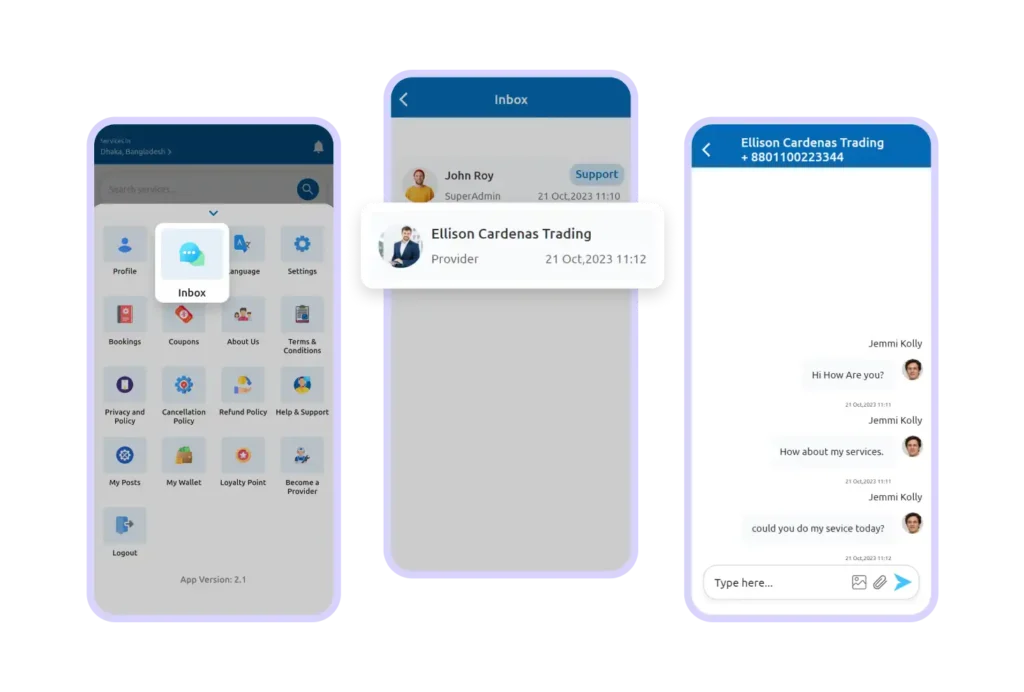
Step 16: Real-Time Chat
Real-Time Chat
Have a question?
You can chat directly with the service provider, serviceman, or admin from the inbox section. This ensures clear and transparent communication.
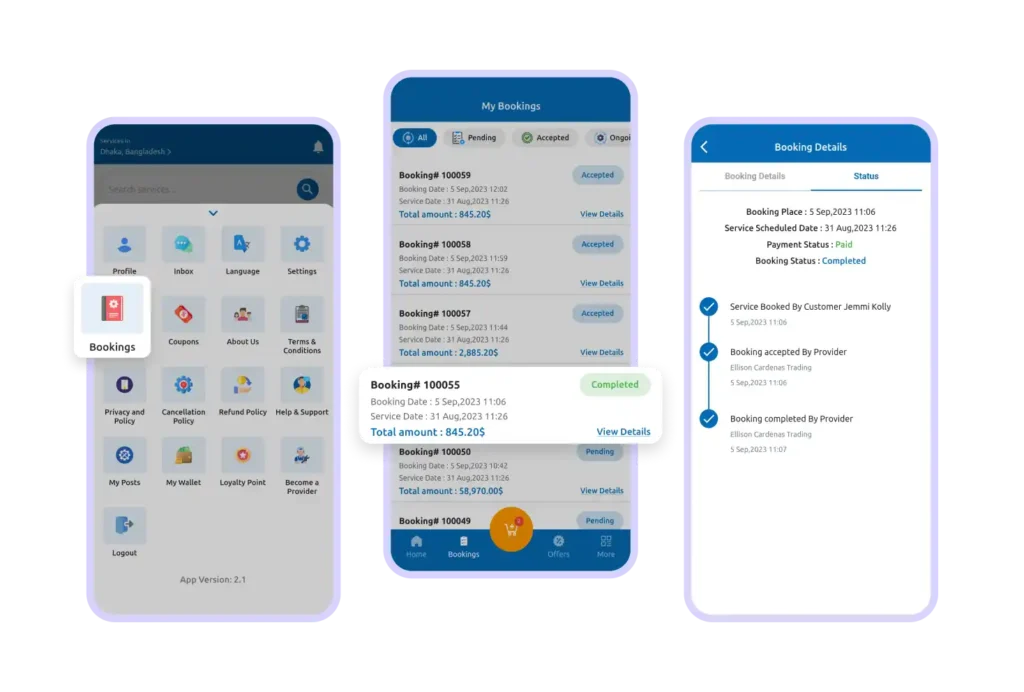
Step 17: Booking Status Tracking
Booking Status Tracking
From the booking details page, you can track your service from placement to completion.
This helps you stay informed about the progress at every step.
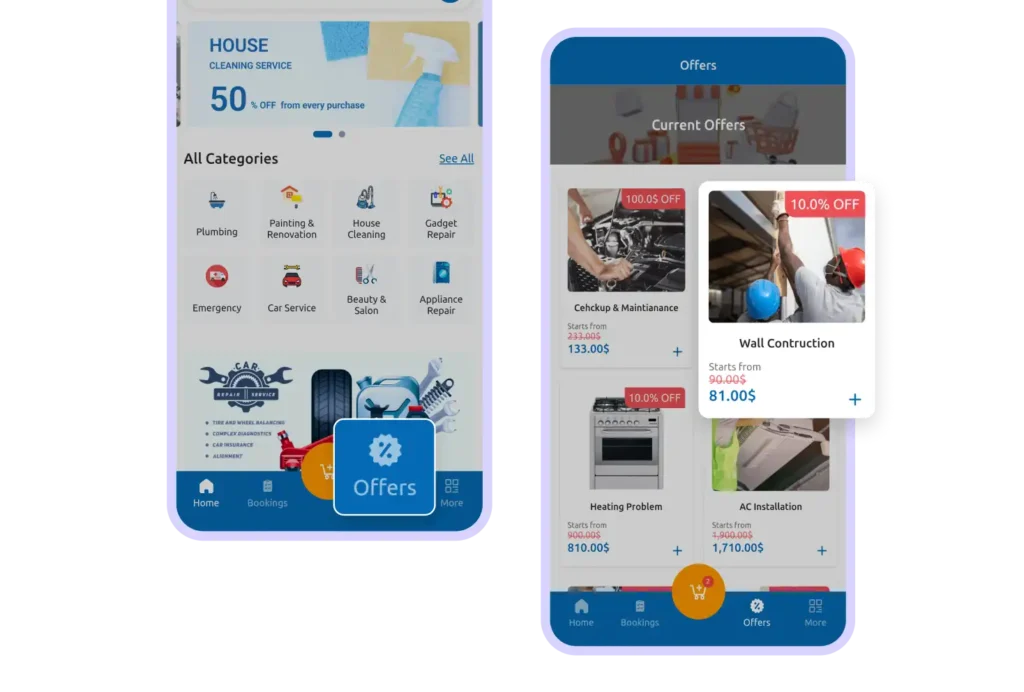
Step 18:My Offers
My Offers
Check the Offers section to see current promotions and discounts.
It’s a great way to book your favorite services at the best price.
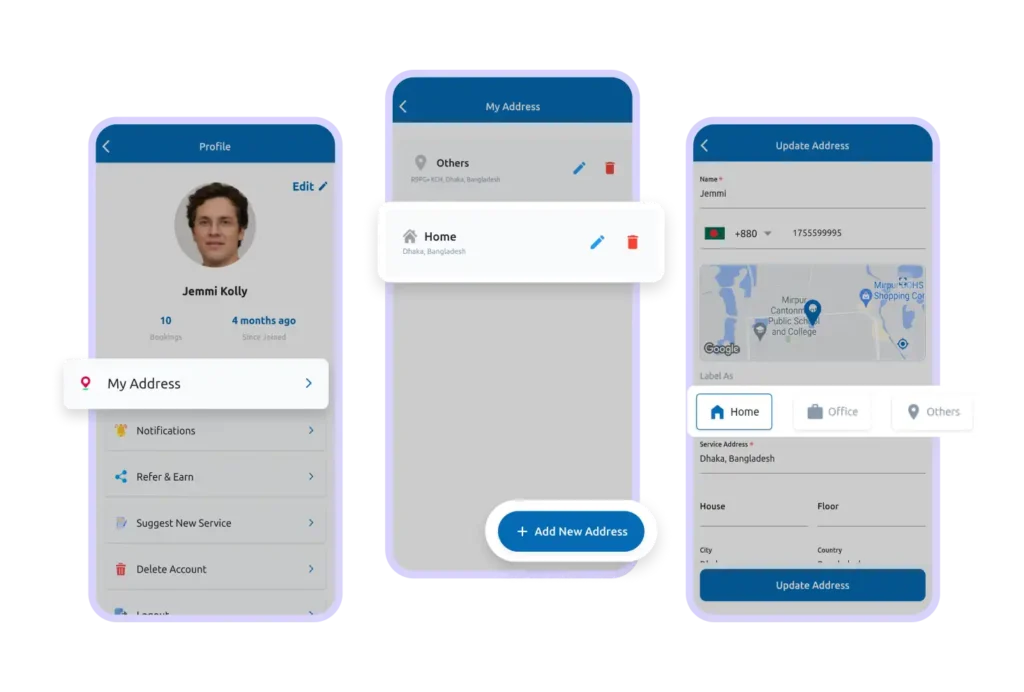
Step 19:Manage Addresses
Manage Addresses
From your profile section, you can:
Edit your current address
Add new addresses
Save them as Home, Office, or Other
This makes future bookings faster and easier.
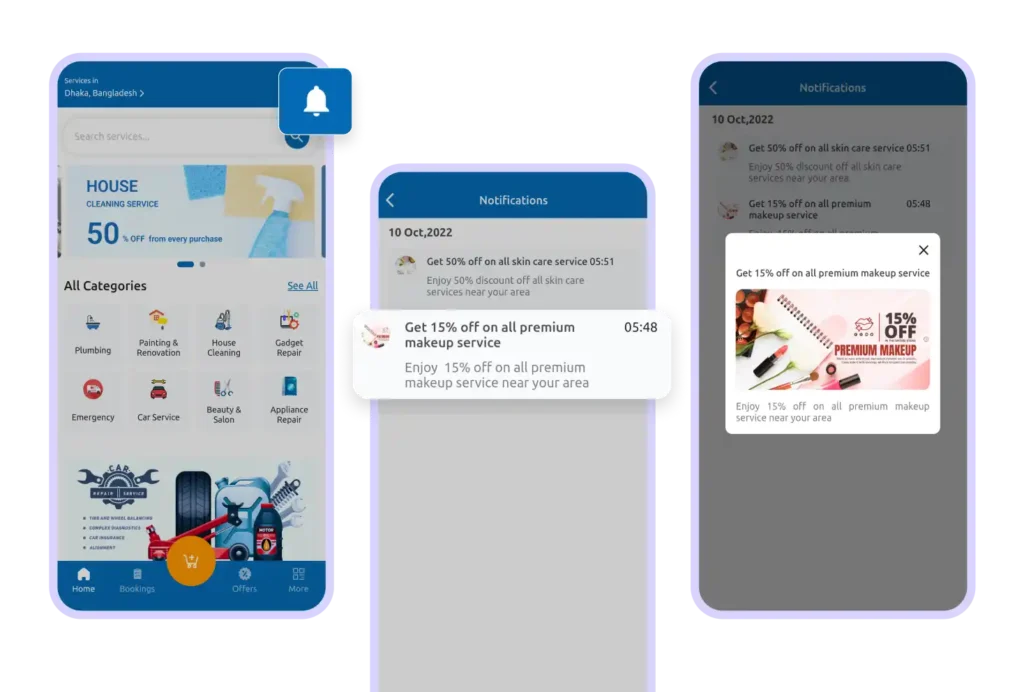
Step 20: Notifications
Notifications
Stay updated with important information through the notification icon.
You’ll receive alerts about offers, booking updates, and special discounts.
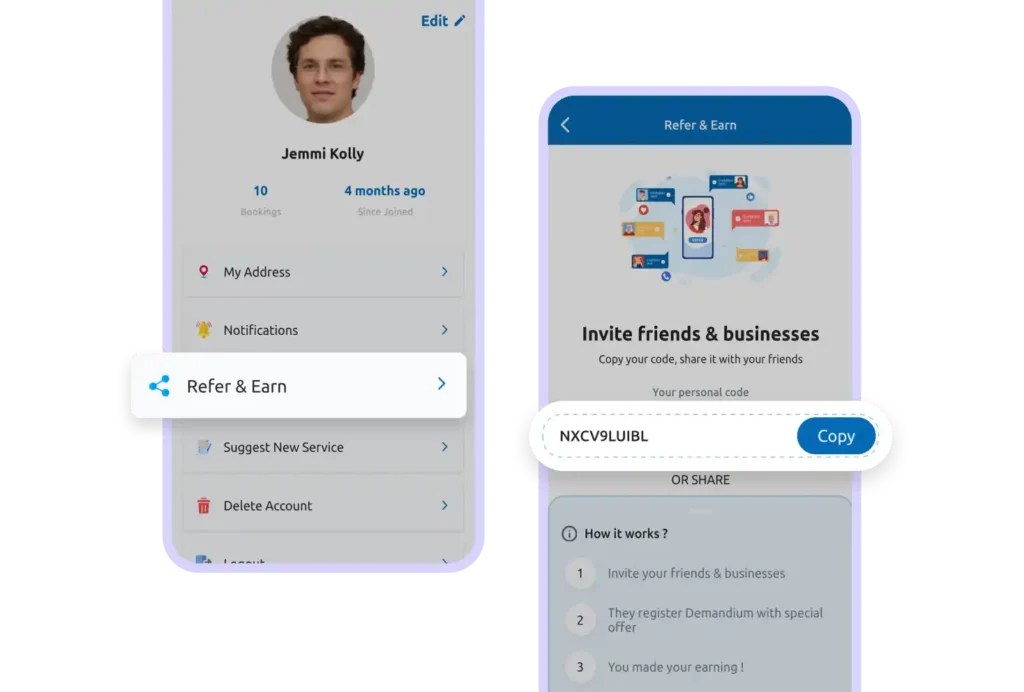
Step 21: Refer & Earn
Refer & Earn
Love using DeshiServe? Share it with your friends and family!
Copy your referral code from the Refer & Earn section and share it.
When someone signs up and books using your code, you’ll receive a referral bonus.
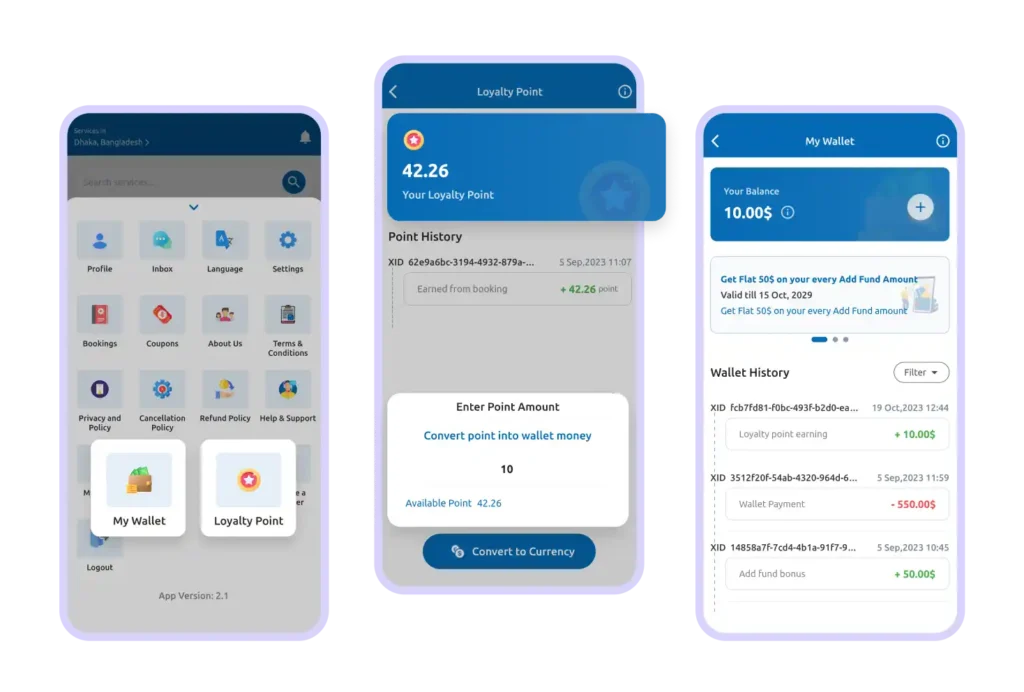
Step 22:Wallet & Loyalty Points
Wallet & Loyalty Points
Earn loyalty points when you book services.
These points can be saved in your wallet and used for future bookings, helping you save more over time.