What is Deshidost !
DeshiDost is the part of DeshiServe designed for delivery boys, servicemen, and staff, making their work smooth and organized. They can see all their assigned bookings, track ongoing tasks, and update completed services directly from the app—no need for separate POS systems or manual records. Everything is managed in one place, so delivery and service staff can focus on getting orders to customers on time, providing better service, and staying coordinated with vendors and businesses.
Profit & Efficiency: By using DeshiDost, staff save time, energy, and effort. There’s no need for extra devices, paper logs, or separate systems, helping them complete more tasks efficiently and reliably.
Refer & Earn: Staff can also share DeshiServe with friends and earn rewards for every successful referral, making it easier to earn extra while on the job.
Please Read to Learn About DeshiDost Features and How It Works
Step 1:📊 Dashboard Overview
📊 Dashboard Overview
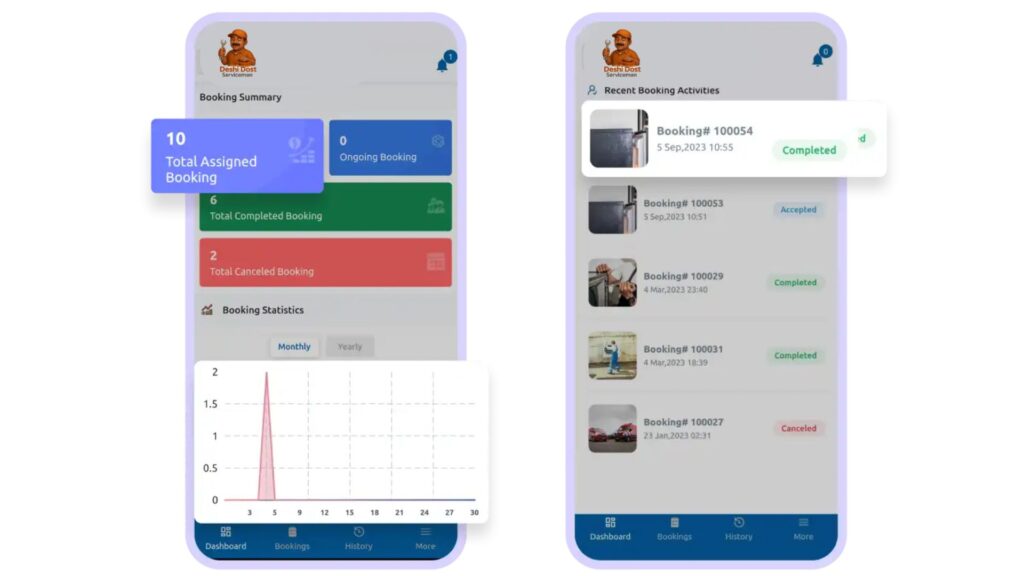
The DeshiDost dashboard gives you a complete summary of your work at a glance.
You can easily see:
Total assigned bookings
Ongoing services
Completed jobs
Booking statistics
Recent activities
This helps you stay organized and manage your daily tasks efficiently.
Step 2:📋 Booking List
📋 Booking List
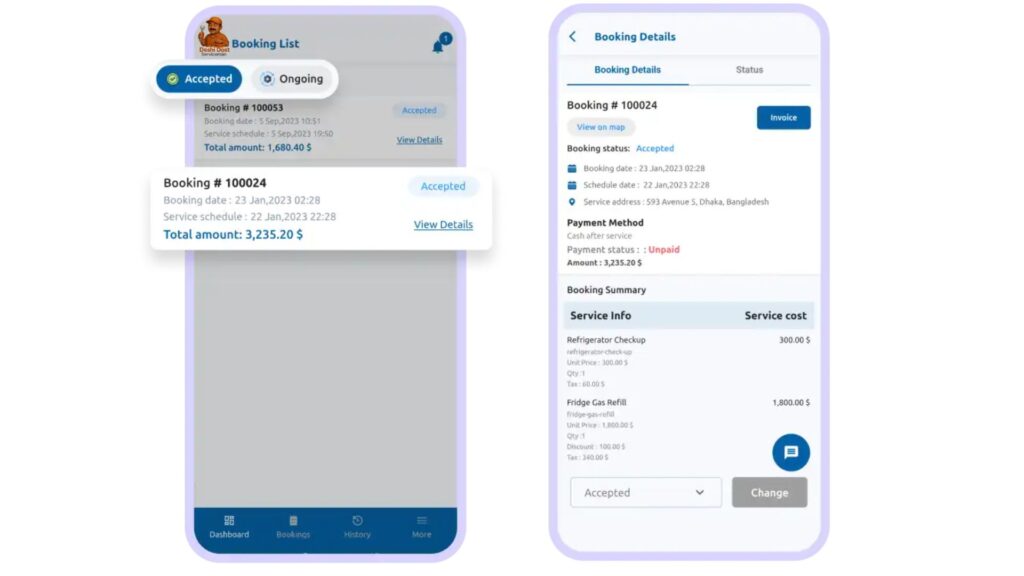
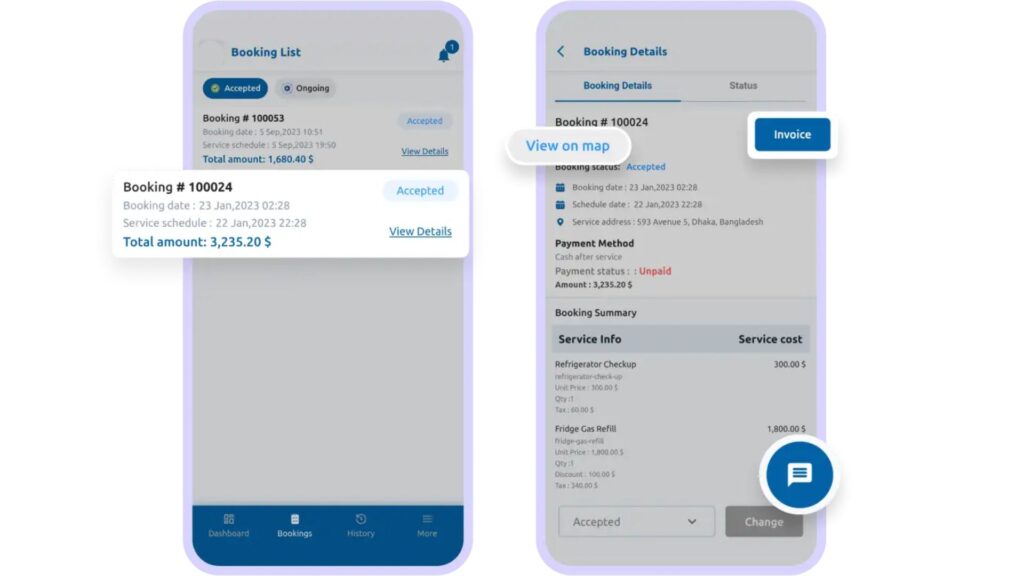
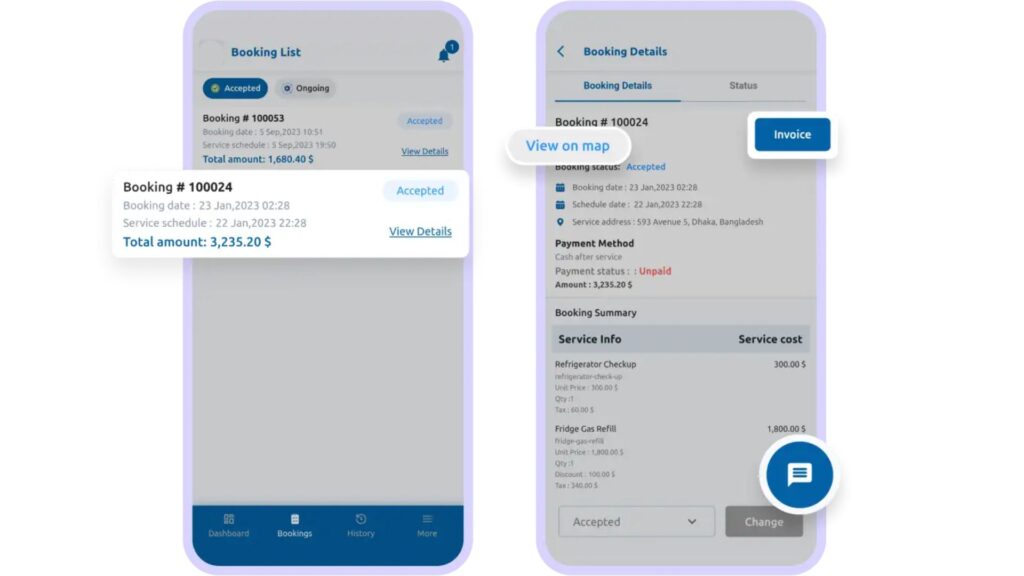
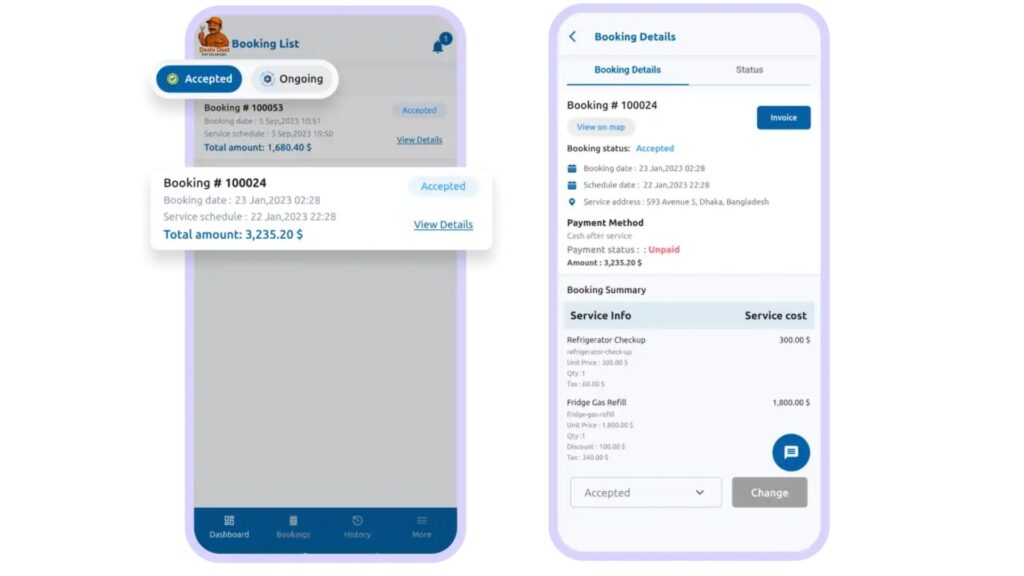
From the booking list section, you can view all your accepted and ongoing bookings in one place.
This allows you to:
Keep track of assigned services
Stay updated with new bookings
Manage your schedule more effectively
Everything is clearly organized for your convenience
Step 3:🧾 Booking Details
🧾 Booking Details
Each booking includes complete details to help you deliver smooth service.
Inside the booking details, you can:
View customer location on Google Maps
See service cost and payment details
Download or print invoices
Contact or chat with the customer
All essential information is available at your fingertips.
Step 4:💬 Live Chat
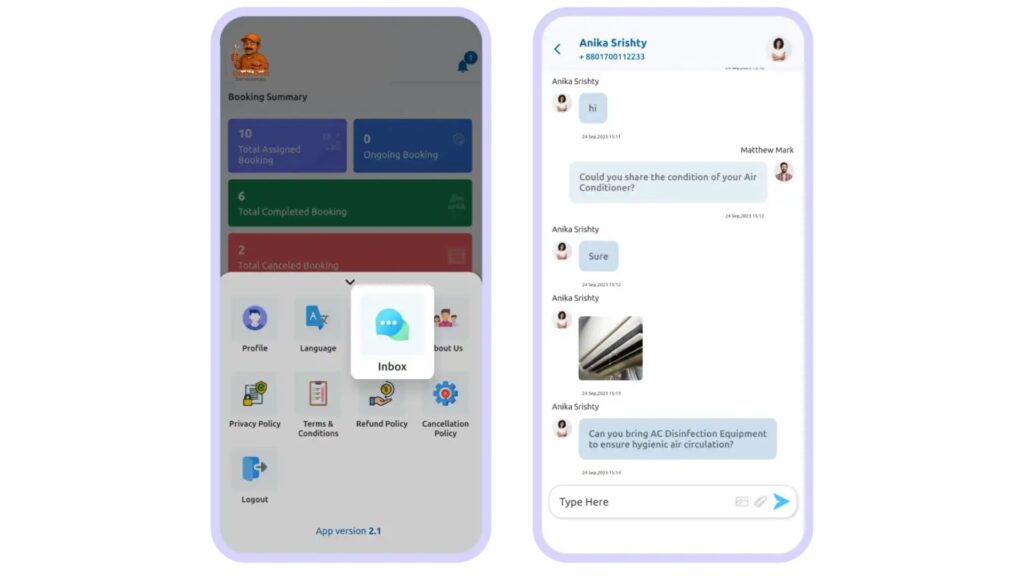
💬 Live Chat
Clear communication builds trust.
With the Live Chat feature, you can directly message:
Customers
Vendors
Admin team
This ensures quick clarification, smooth coordination, and better service experience.
Step 5:📍 View Customer Location
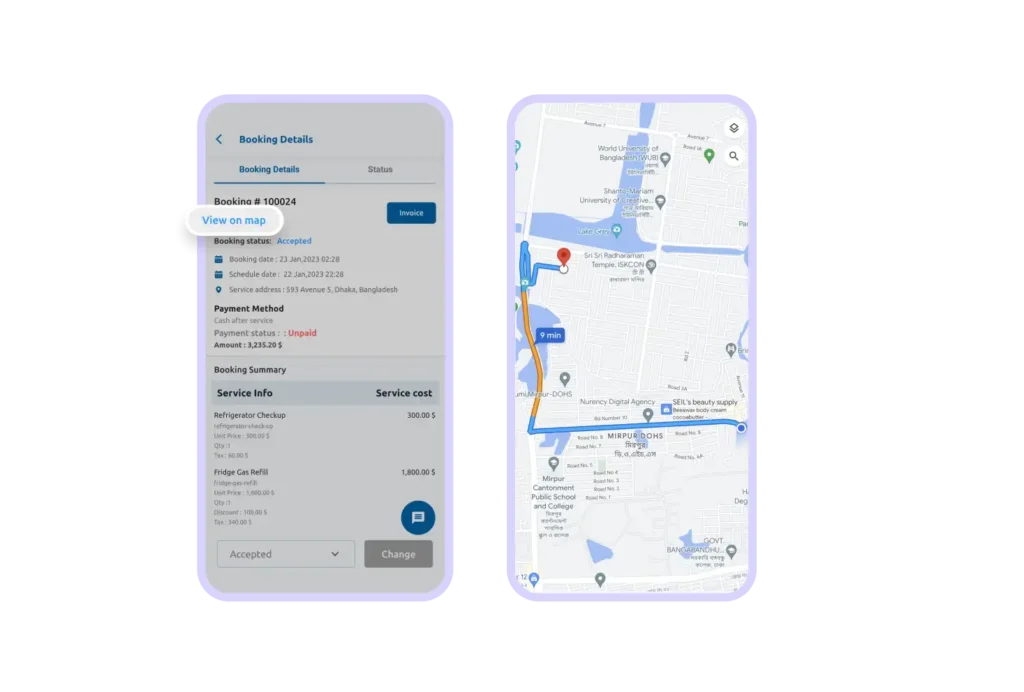
📍 View Customer Location
Finding the customer is simple and fast.
You can view the customer’s live location through Google Maps directly from the app.
This helps you reach the destination quickly and avoid confusion.
Step 6:🔄 Update Booking Status
🔄 Update Booking Status
You can update the booking status directly from the app (if enabled by admin or vendor).
For example:
Accepted
Ongoing
Completed
This keeps the system updated and ensures customers are informed in real-time.
Step 7: 📜 Booking History
📜 Booking History
You can view your complete booking history anytime.
You may filter bookings by:
Completed
Cancelled
This helps you review past work and follow up if necessary.
Step 7: 👤 Profile Management
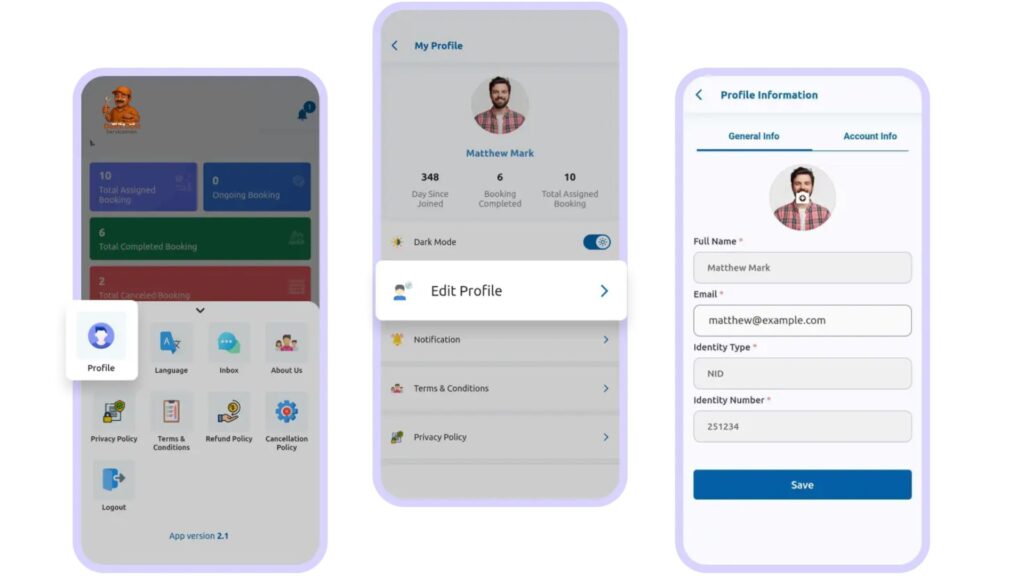
👤 Profile Management
From the profile section, you can update your personal details, including:
Name
Email
Phone number
Identity information
Password
Keeping your profile updated ensures smooth account management.
Step 8: 🌗 Light & Dark Mode
🌗 Light & Dark Mode
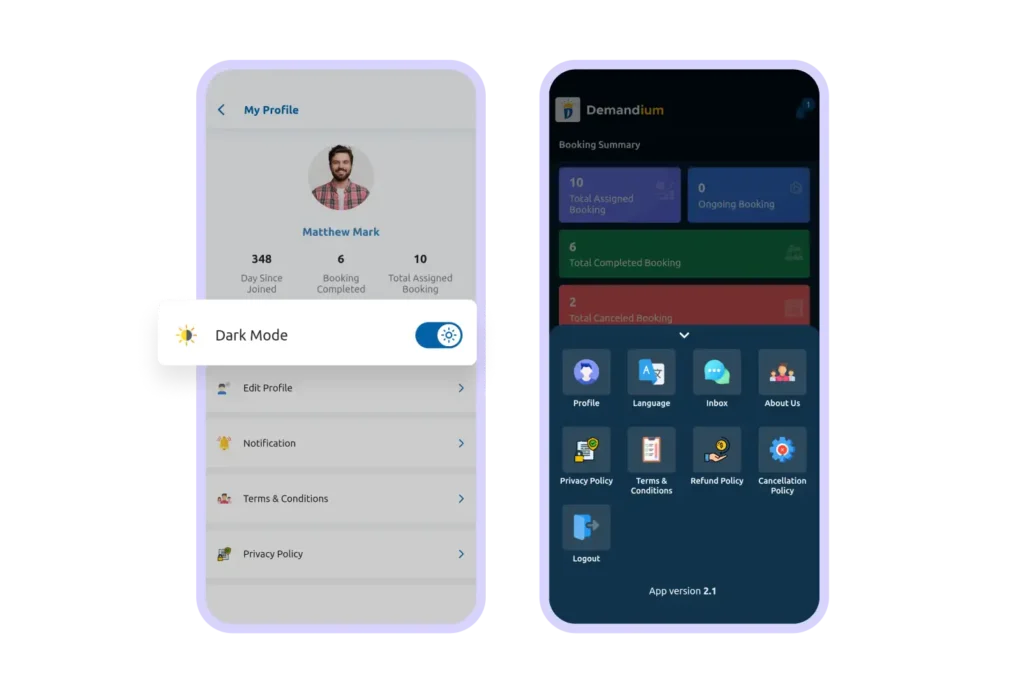
Choose the app appearance that feels comfortable for you.
Switch between Light Mode and Dark Mode anytime for better readability and a more personalized experience.
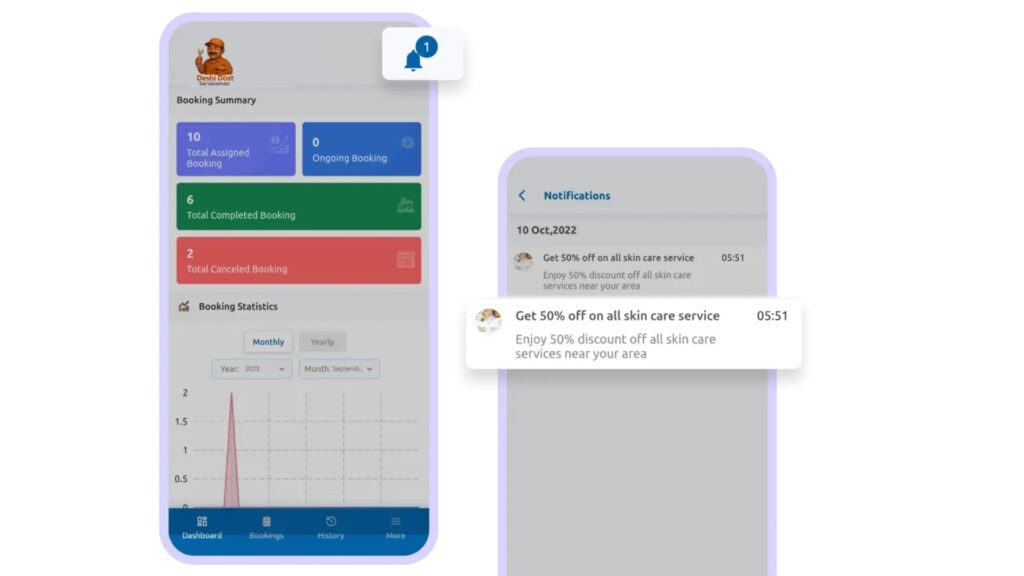
Step 9: 🔔 Notifications
🔔 Notifications
Stay informed with important updates.
You will receive notifications about:
Business rules
Service updates
Announcements
Important changes
This ensures you never miss critical information.
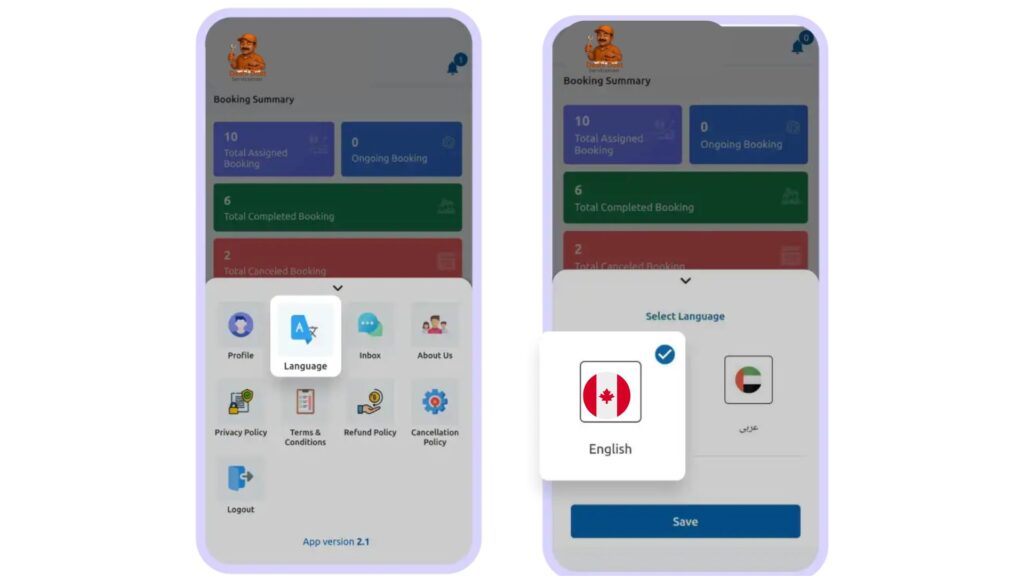
Step 10: Multi-Language Support
🌍 Multi-Language Support
DeshiDost supports multiple languages (including RTL where applicable).
You can select your preferred language (if enabled by admin) for a more comfortable and native experience.
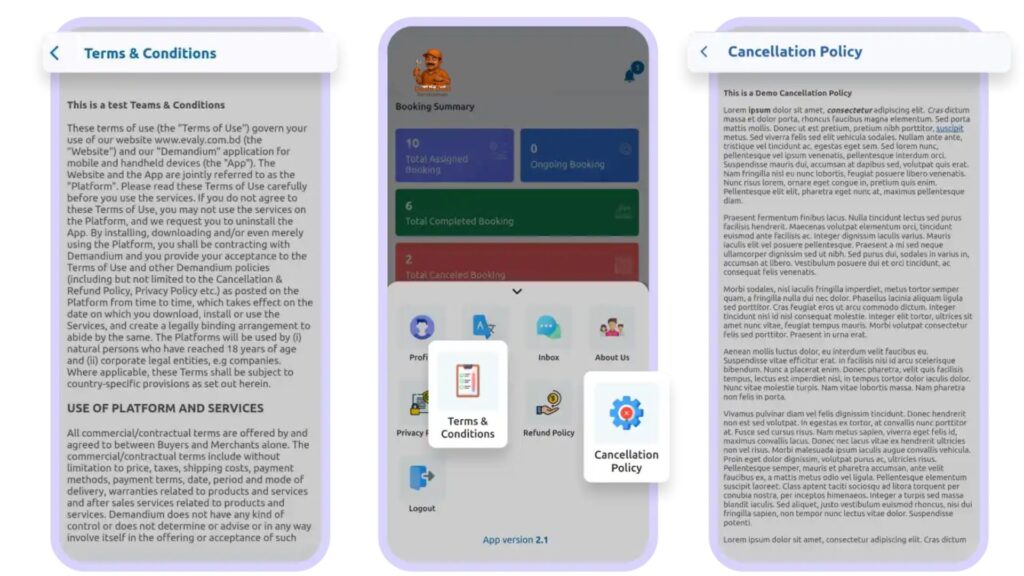
Step 11:📄 Legal & Policy Pages
📄 Legal & Policy Pages
All company rules and regulations are available inside the app.
You can review:
Terms & conditions
Privacy policies
Business guidelines
This ensures transparency and professional service standards