What is Deshidokan !

DeshiDokan – Your Local Store on Your Phone

DeshiDokan is like having all your local stores right in your pocket. It lets people in your city or nearby areas easily find and buy what they need—like groceries, meals, or home services—without leaving home. Shops and restaurants can easily showcase their products, take orders, and track deliveries, while delivery people and service workers make sure everything reaches customers quickly and smoothly.

Profit: With DeshiDokan, vendors save time, money, and energy. There’s no need for extra phone calls, separate marketing costs, or traveling to reach customers. Everything happens in one place, letting vendors focus on serving more people efficiently and growing their business.

Please Read to Learn About How DeshiDokan Works !

Step 1:Multi-Language Support
17

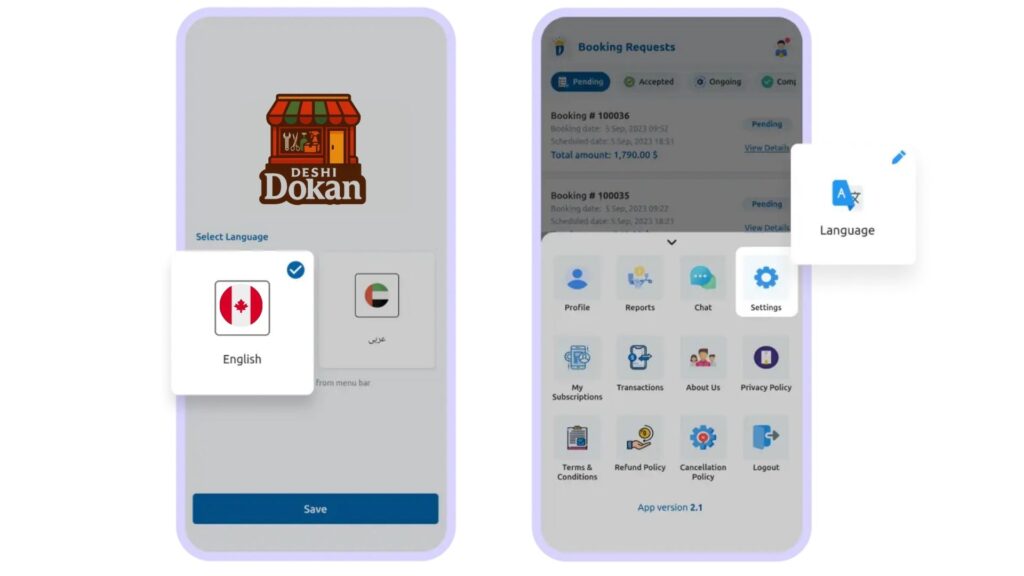
Multi-Language Support

What it does: Lets you use the app in your own language, so everything is easy to read.
How it works: When you open the app, pick your language before logging in. It also supports RTL languages like Arabic, Urdu, or Bengali.
Why it helps: You can manage your business without language confusion and avoid mistakes.

1

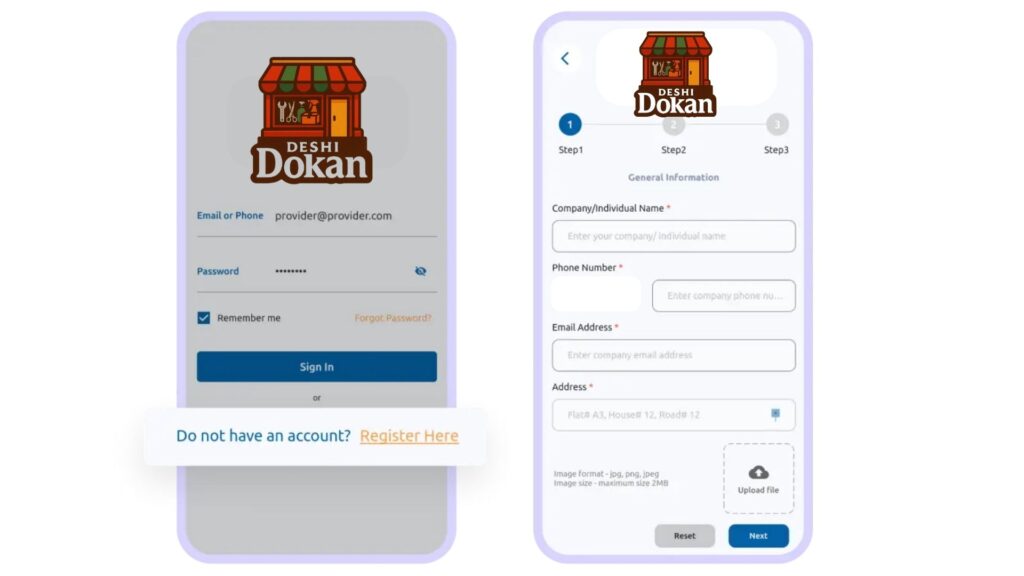
Provider Registration

What it does: Lets you create your own provider account on DeshiDokan.
How it works: Open the app → Tap Register as Provider → Fill in your business info → Submit → Wait for admin approval.
Why it helps: Only approved providers can start offering services, keeping your account official and secure.

3

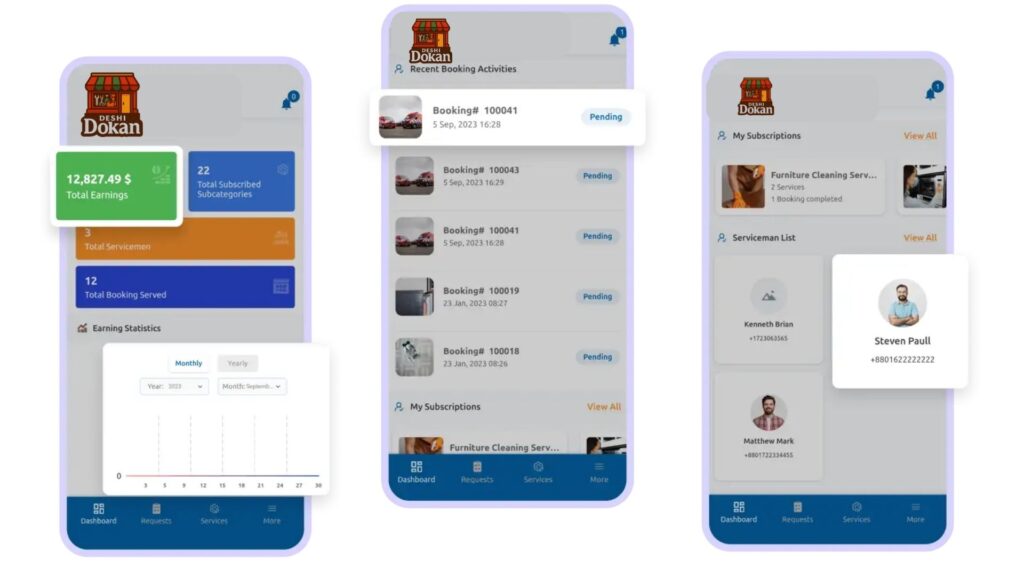
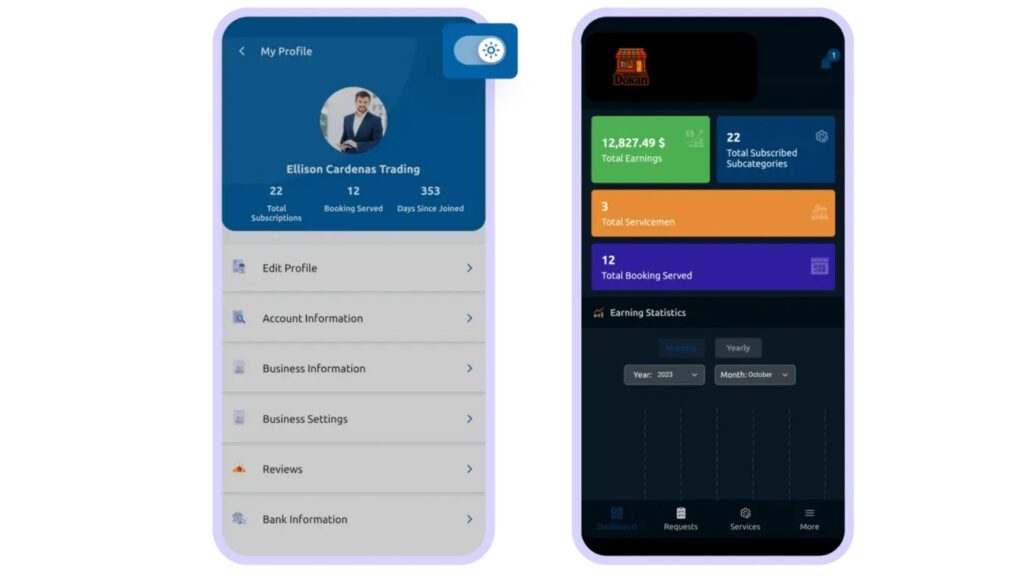
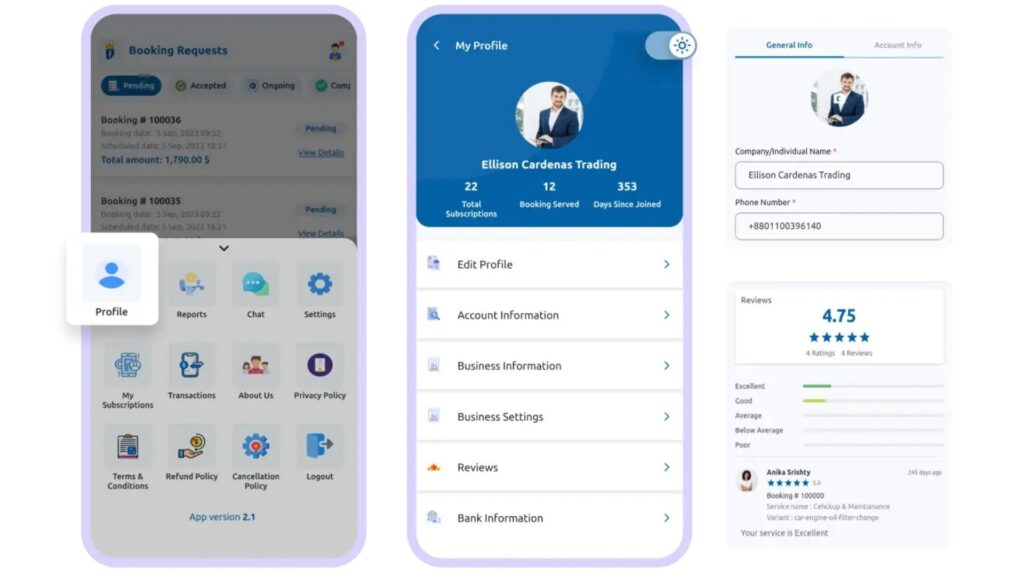
Provider Dashboard

What it does: Gives you a quick overview of your business.
How it works: After login, you can see:

  • Total earnings

  • Recent bookings

  • List of your servicemen
    Why it helps: Quickly check your business performance and know what’s happening at a glance.

20

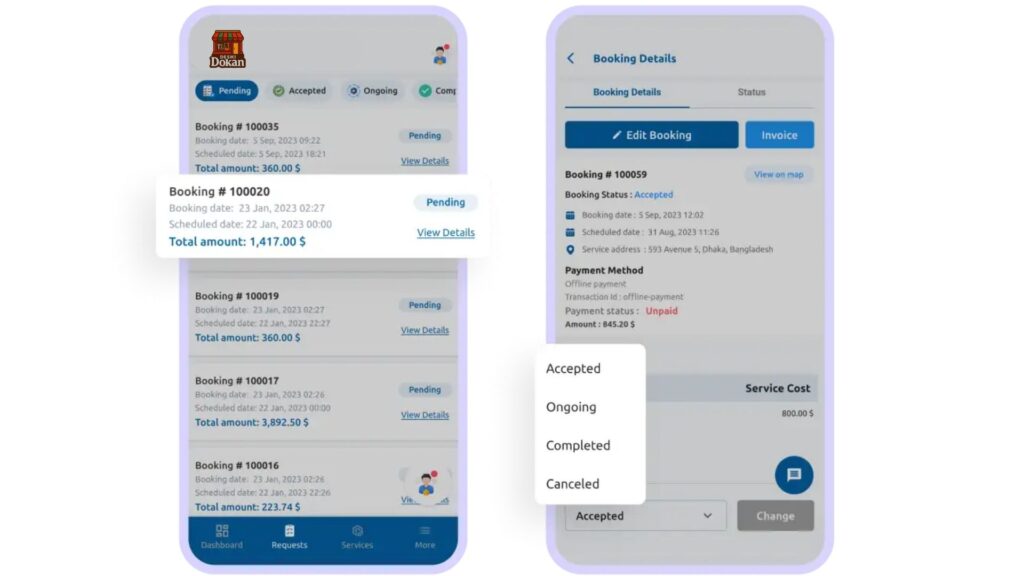
Booking Requests

What it does: Lets you see full info for each booking.
How it works: Tap a booking to see:

  • Customer info and address

  • Service details

  • Contact options for customer or serviceman

  • Option to accept or decline the booking
    Why it helps: You have all the info in one place to manage bookings smoothly.

22

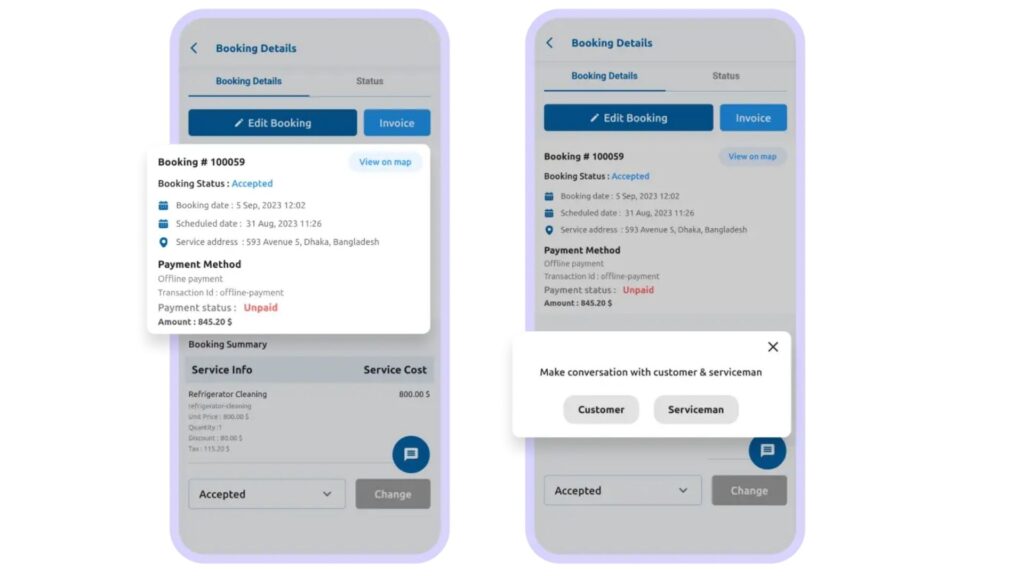
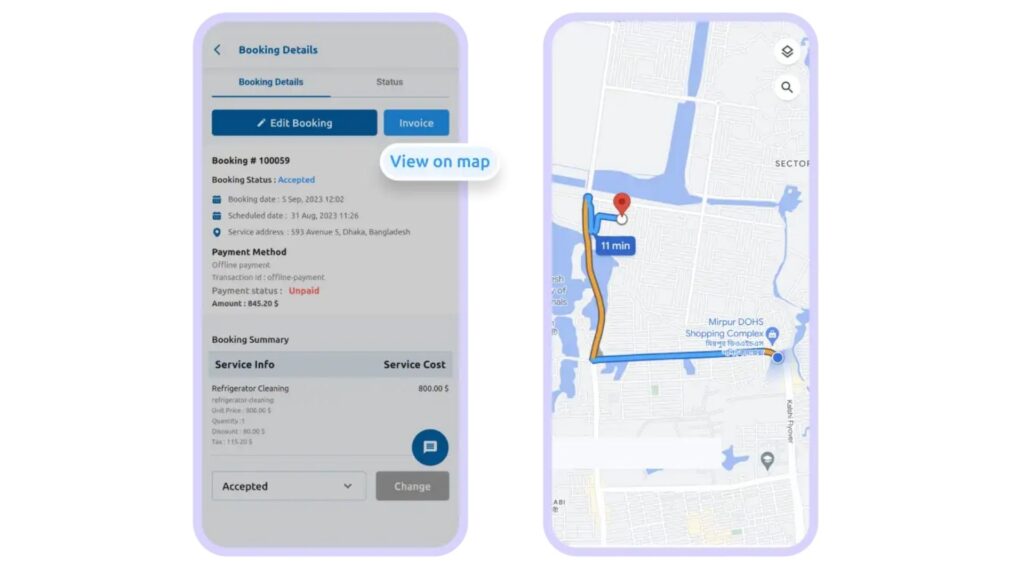
Change Booking Status

What it does: Tracks progress of each booking.
How it works: Update booking status to Accepted → Ongoing → Completed or Canceled.
Why it helps: Keeps your records organized and admin informed in real time.

19

View Customer Location

What it does: Shows the customer location on Google Maps.
How it works: Tap the location from booking details → see exact position → assign nearest serviceman.
Why it helps: Helps your team reach customers faster, improving service quality.

23

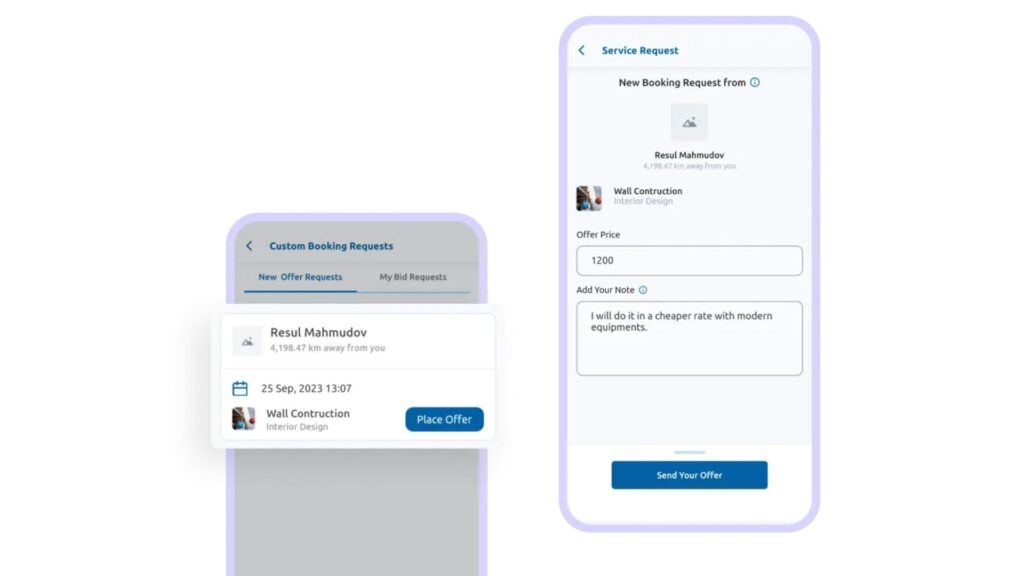
Bid for Custom Booking

What it does: Lets you offer a price for custom service requests.
How it works: Customer posts a special request → You submit your price → Customer accepts → You get notified.
Why it helps: Gives flexibility to provide custom services and earn more

7

Light & Dark Mode

What it does: Lets you change the app’s appearance.
How it works: Go to Profile → Settings → switch Light / Dark Mode.
Why it helps: Makes it easier to use the app in different lighting conditions.

13

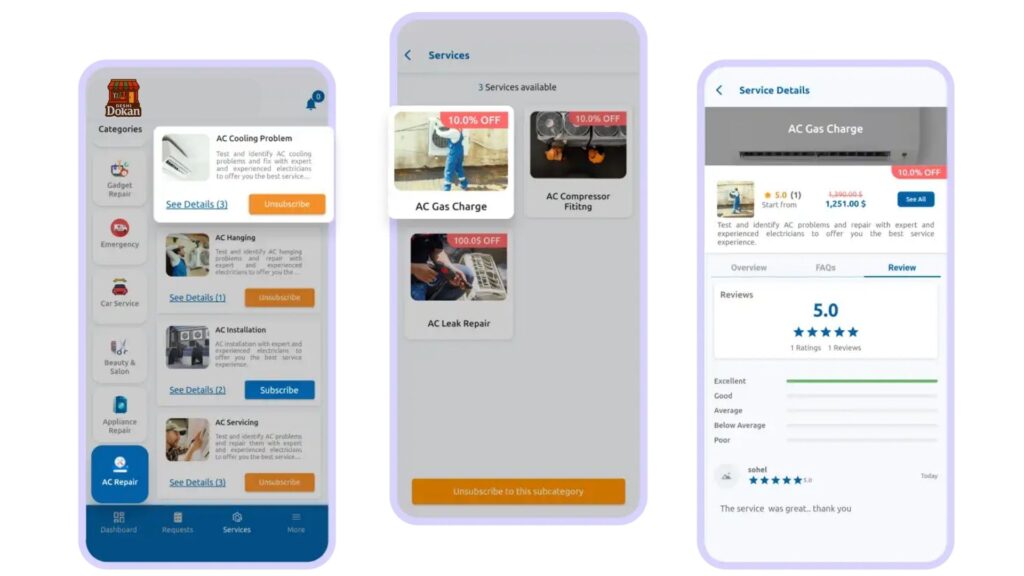
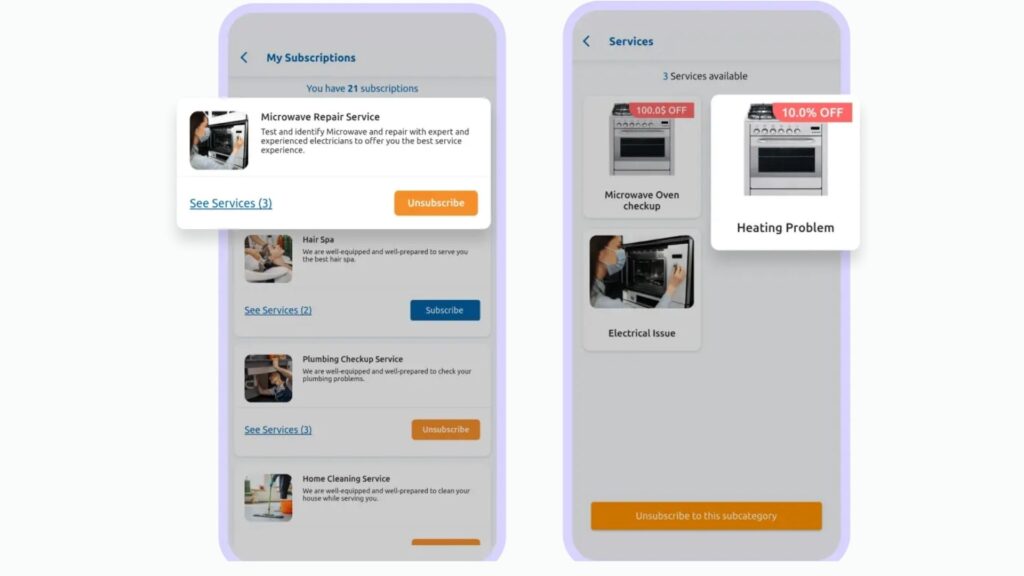
Choose Available Services

What it does: Shows all the services you can offer.
How it works: View categories & subcategories → Subscribe/unsubscribe → Check service details, FAQs, and reviews.
Why it helps: You can choose exactly which services you want to provide.

2

Provider Profile

What it does: Lets you manage your personal and business info.
How it works: Edit:

  • Business info

  • Bank details

  • App appearance

  • Check customer reviews
    Why it helps: Keeps your profile updated and professional.

8

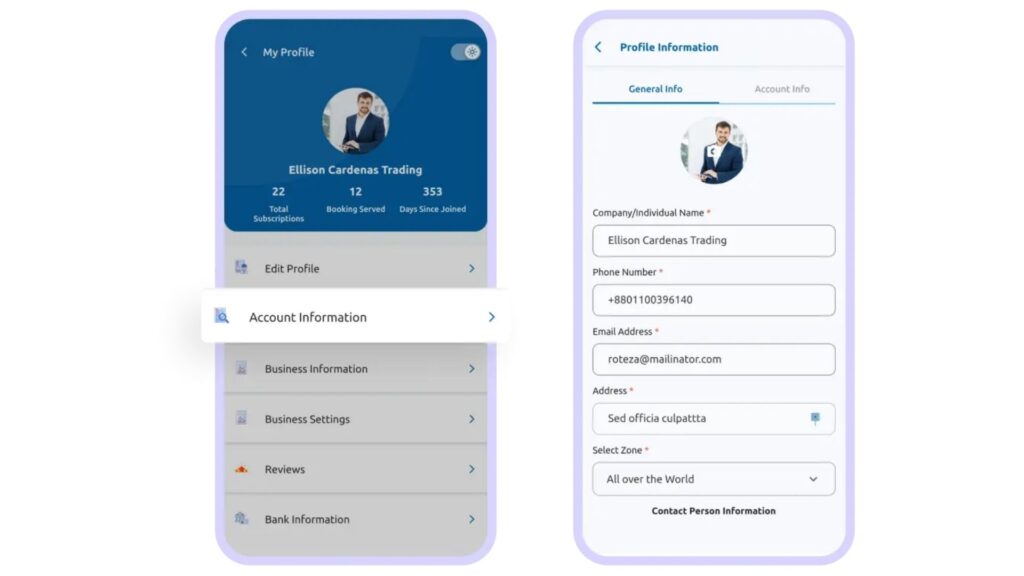
General Info

What it does: Update core business information.
How it works: Edit:

  • Company name

  • Phone & email

  • Business location & zone
    Why it helps: Ensures customers always have the correct contact info.

12

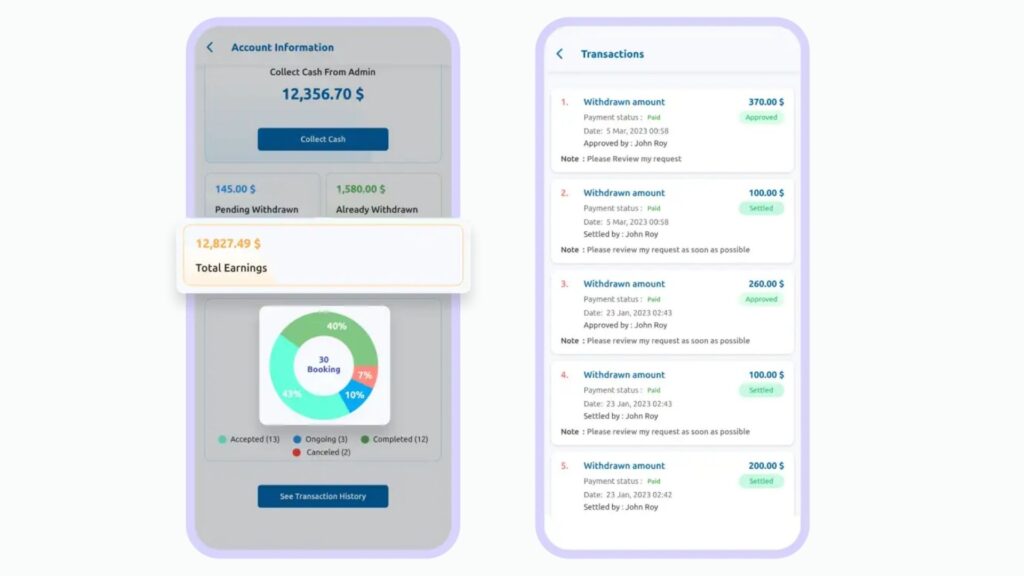
Account Info

What it does: Shows your earnings and transaction history.
How it works: View:

  • Total earnings

  • Withdrawable balance

  • Total bookings (visual chart)
    Why it helps: Helps you track your money and see business growth.

copy of dokan picture (presentation)

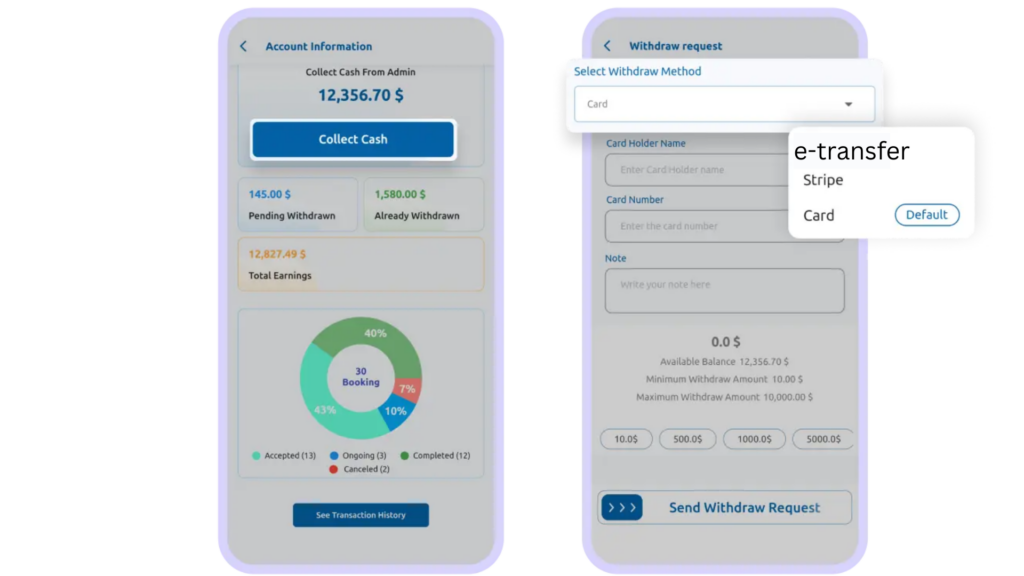
Request Withdrawal

What it does: Lets you withdraw your earnings.
How it works: Go to Account Info → Collect Cash → choose withdrawal method → submit request.
Why it helps: You get your money safely and quickly.

6

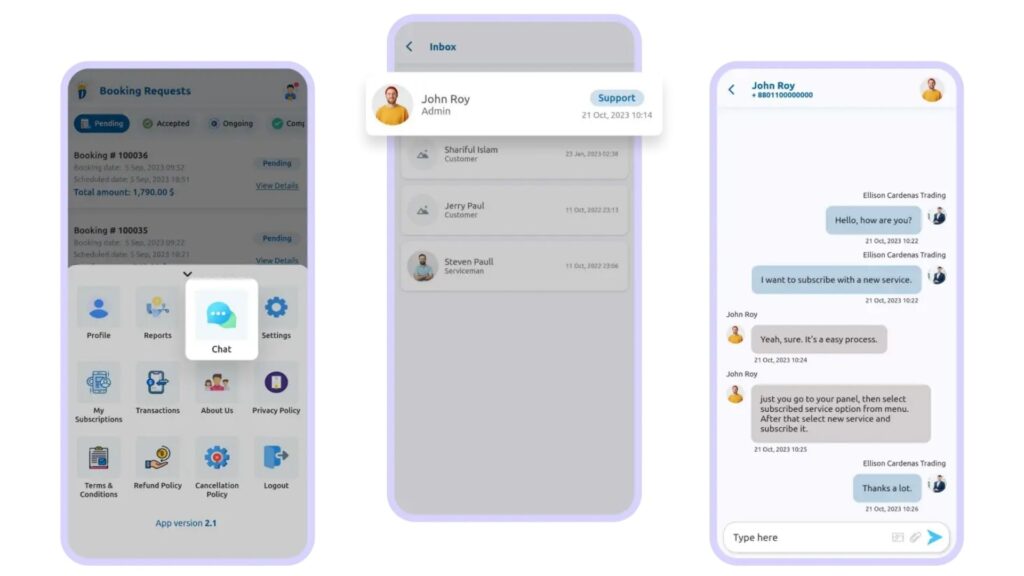
Live Chat

What it does: Chat directly with customers, servicemen, or admin.
How it works: Open chat → select who you want to message → send text.
Why it helps: Quick communication improves service quality and reduces confusion.

10

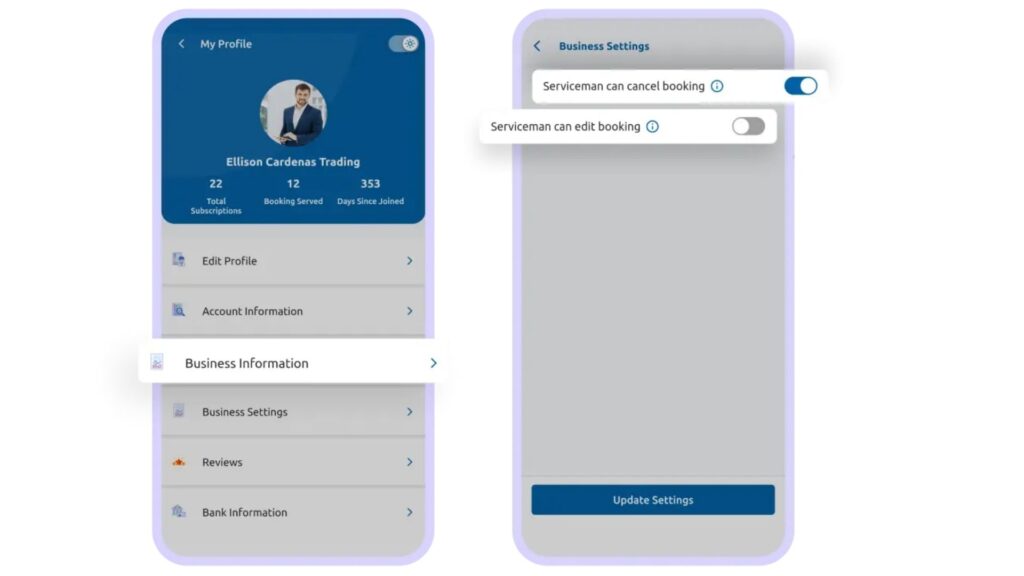
Business Settings

What it does: Control what your servicemen can do.
How it works: Toggle permissions:

  • Allow/cancel bookings

  • Allow/edit bookings
    Why it helps: Gives control over your team and prevents mistakes.

9

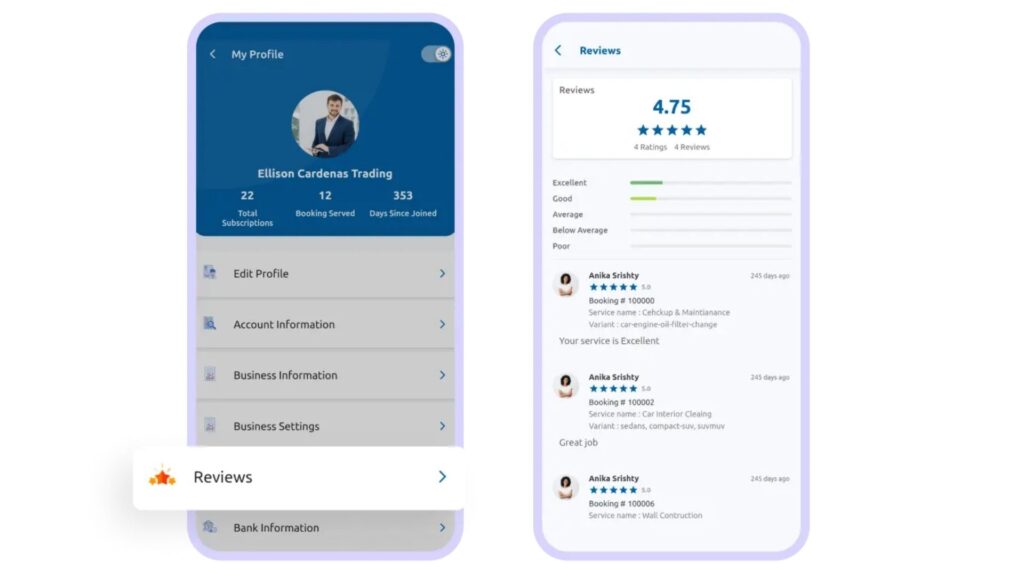
Customer Reviews

What it does: See feedback from customers.
How it works: Open Reviews → read comments → analyze which services are most liked.
Why it helps: Helps improve and focus on services customers love.

11

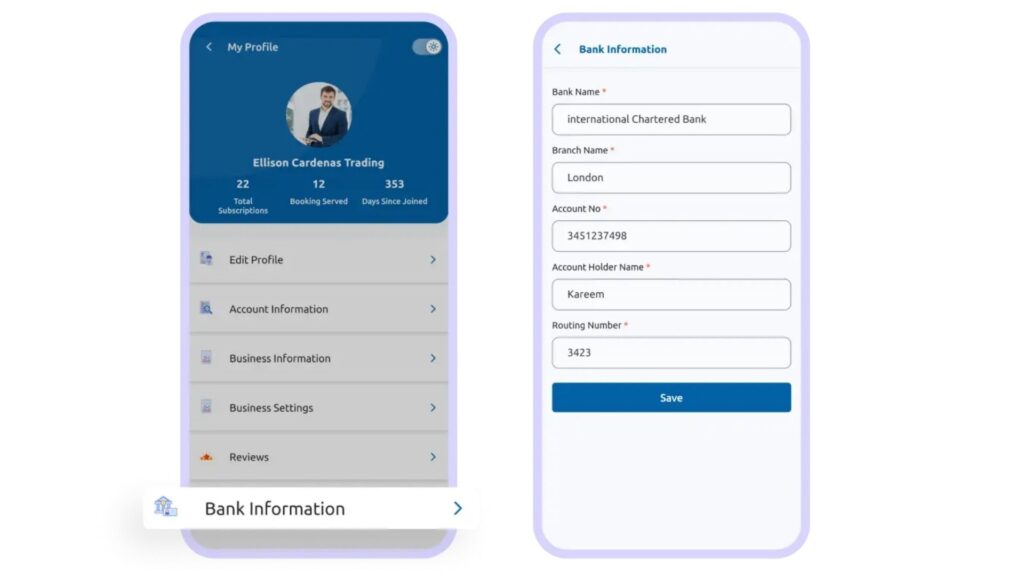
Bank Information

What it does: Update bank account for payouts.
How it works: Edit:

  • Bank name & branch

  • Account number & holder name

  • Routing number
    Why it helps: Ensures money goes to the correct account

18

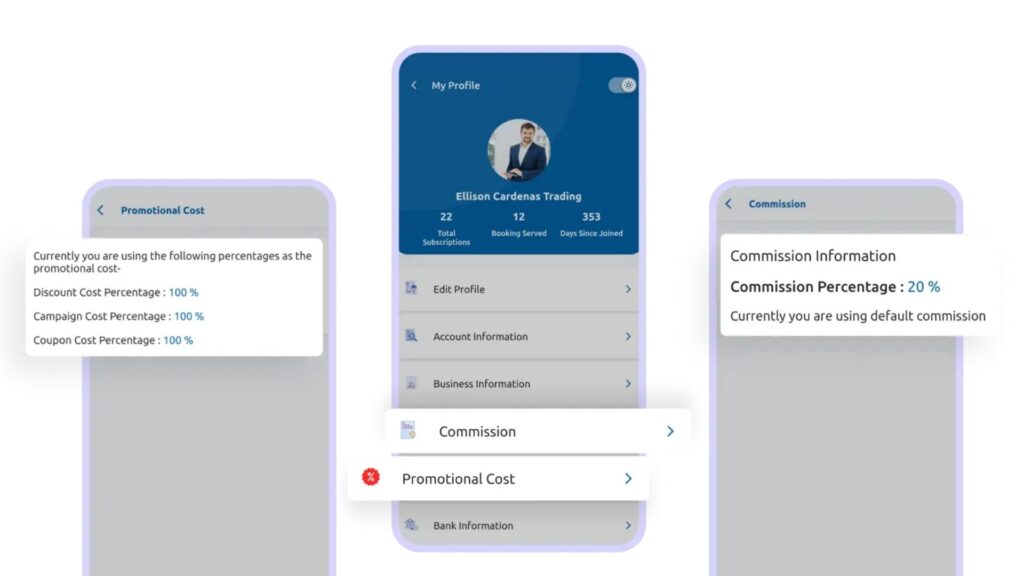
Commission & Promotional Costs

What it does: Shows fees charged by admin for each service.
How it works: Check commission % and promotional costs for ads.
Why it helps: Helps you plan pricing and campaigns properly.

4

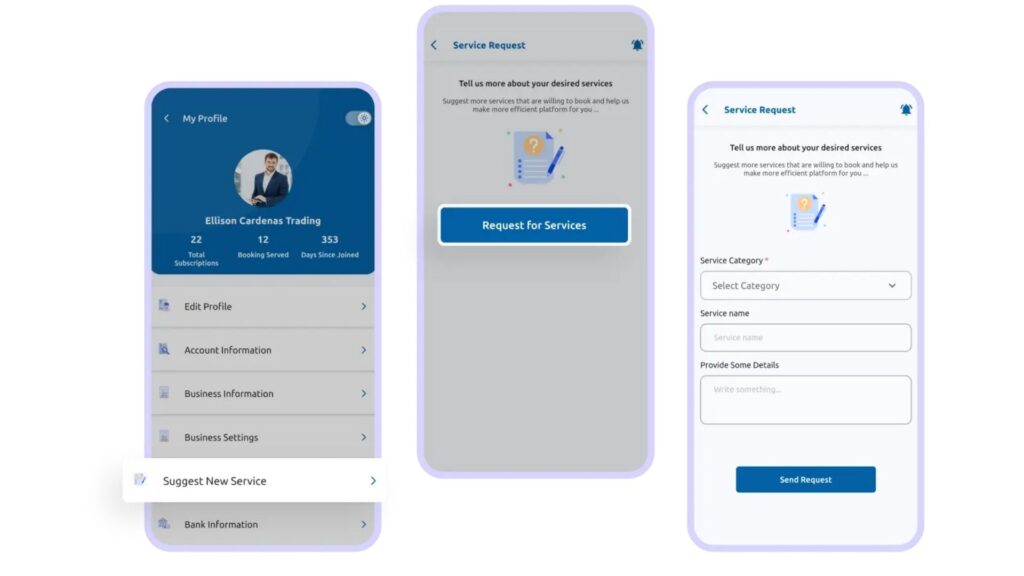
Suggest New Service

What it does: Lets you propose a new service.
How it works: Fill in service name, category, and details → submit → admin approves or denies.
Why it helps: Expands your business with admin approval.

14

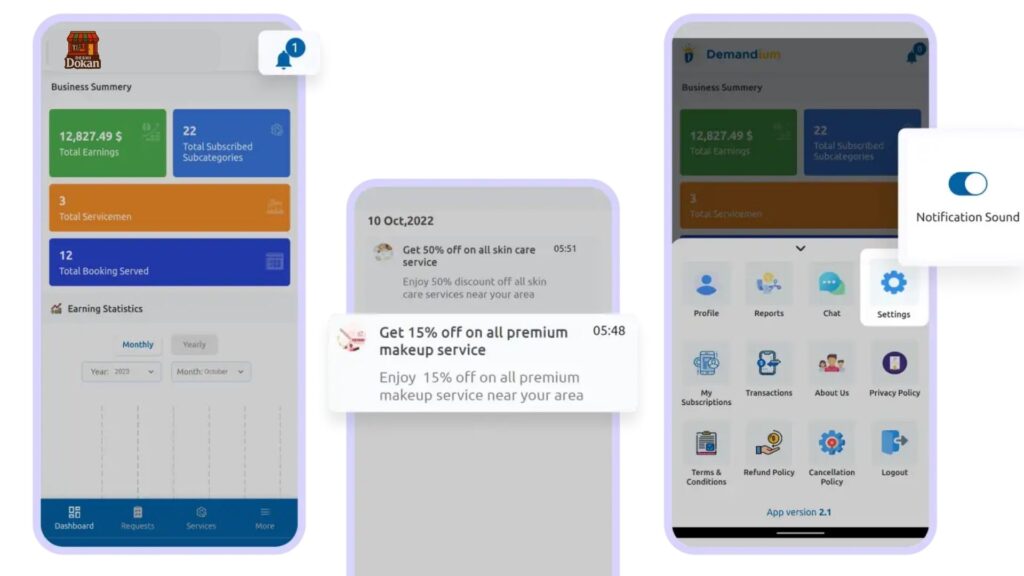
App Notifications

What it does: Shows important updates from admin.
How it works: Enable/disable notifications in settings.
Why it helps: You don’t miss announcements or urgent messages.

24

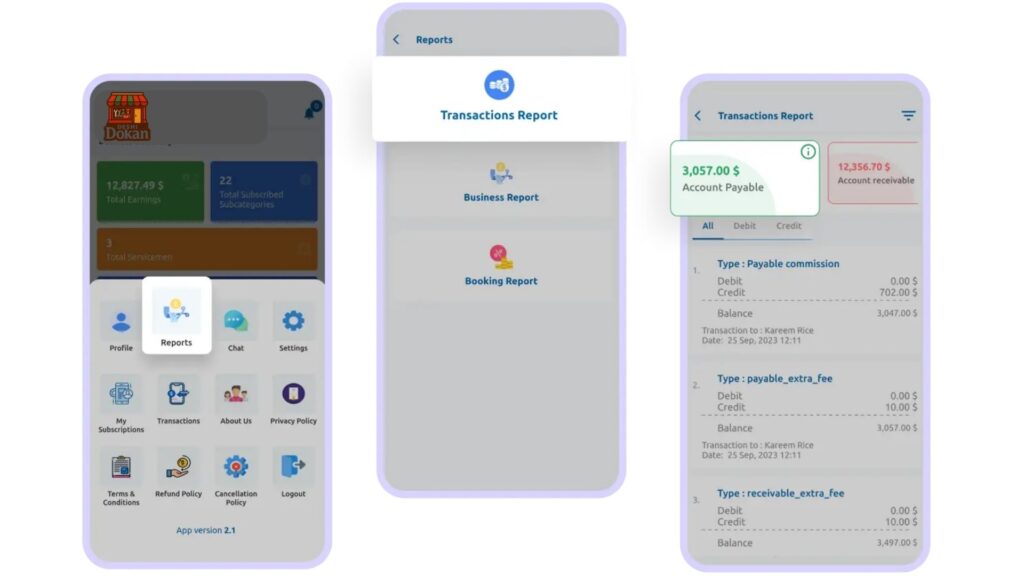
Reports & Analytics

What it does: Gives detailed business insights.
How it works: See:

  • Transactions history

  • Pending & completed balances

  • Accounts payable/receivable
    Why it helps: Lets you track growth, profits, and pending work.

15

My Subscriptions

What it does: Manage the services you provide.
How it works: Subscribe or unsubscribe from services anytime.
Why it helps: Flexibility to offer only the services you want.

16

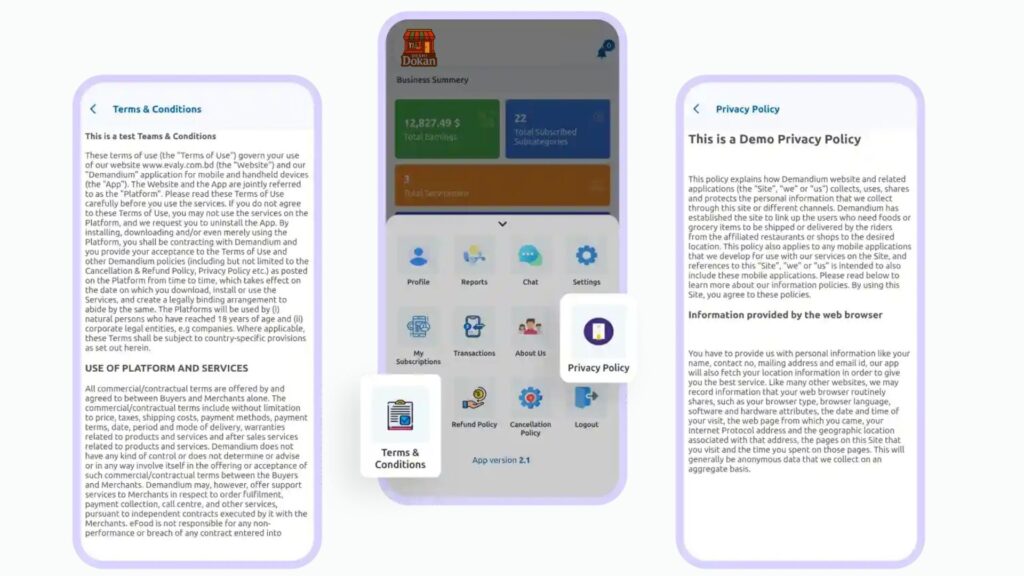
Legal Pages

What it does: Access terms & policies of DeshiDokan.
How it works: Open directly in app → read rules & legal info.
Why it helps: Understand your responsibilities and platform rules.

Scroll to Top